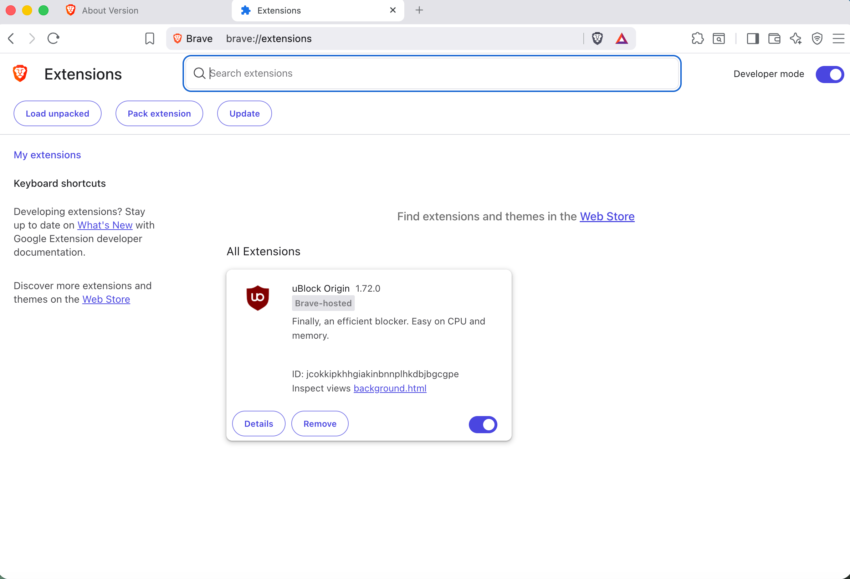
With Google terminating support for Manifest V2 extensions in Chromium and thus most Chromium-based browsers, only some companies have announced solutions to keep support for select extensions.
The latest version of Brave Browser addresses one of the main problems with the migration from MV2 to MV3: the removal of MV2 extensions from the Chrome Store.
What happens when you need to install a classic extension on a new PC or new browser profile? Unless you happen to have a local copy or know how to download it from GitHub or other repositories — if it is provided there — you may be out of options.
Brave Software implemented an option in the browser to replace “known Web Store MV2 extensions with Brave-hosted equivalents”. Up until that point, users had to walk through the process manually. This also meant that settings were not carried over.
With the new process, at least for “known extensions”, Brave is automating things for the user. A benefit of this is that Settings are carried over, which means that you do not have to reconfigure the entire extensions.
There does not seem to be a list of extensions that get the treatment, but a screenshot highlights uBlock Origin, NoScript, uMatrix and AdGuard.
Maybe someone will make an add-on that works like obtainium, obtainium-x or droid-ify to make the store built in like while allowing adding the direct source therefore bypassing google entirely would be great for those interested.
For some reason don’t see the Manifest Version 2 (aka MV2) page link in the Brave browser, but from the Github link it’s:
brave://settings/extensions/v2
Alternatively check out the flags and search for : Brave Extensions manifest V2
or just paste in the link underneath into the URL bar, enable MV2 and relaunch the browser, then go to Extensions page and enable uBlock Origin or some of the other supported MV2 extensions.
brave://flags/#brave-extensions-manifest-v2
or
chrome://flags/#brave-extensions-manifest-v2