Chipp.in Tech News and Reviews

Windows, Security & Privacy, Open Source and more

Menu
  • Home
  • Windows
  • Security & Privacy
  • Gaming
  • Guides
  • Windows 11 Book
  • Contact
  • RSS Feed
Menu

Category: News

Brave Accounts and Email Aliases launch

Posted on August 28, 2026 by Martin Brinkmann

Brave Software, maker of Brave Browser, announced the launch of Brave Accounts yesterday. While the main idea of introducing native accounts is similar to how other browsers handle user accounts, that is, allowing users to sync data and use other services associated with the account, Brave Software uses technology that is vastly different.

Instead of sending hashes or encrypted passwords to remote servers, Brave Software says that passwords never leave the browser in the first place. It is “never transmitted”, which eliminates the need to trust a company securely storing password data in the first place.

Brave writes:

Here’s the short version: when you sign in to a service built on Brave Accounts, your password itself is never sent to our servers: not encrypted, not hashed, nor “briefly held in memory and then discarded”. The password is never transmitted, so you don’t have to “trust” that we are keeping it safe for you. We don’t know it at sign-up, we don’t know it at login, and if someone were to steal our entire password database tomorrow, with high probability they still wouldn’t know it.

Brave uses OPAQUE, “an augmented password-authenticated key exchange” for that. The underlying idea is that it allows the client — the browser in this case — to prove that the password is known without revealing it.

Technically the system relies on an Oblivious Pseudorandom Function.

This means that: you blind your password with a random value and send the blinded version of it; the server applies a secret key it holds and sends the result back; then, your device unblinds it. The output is a value derived from both your password and our server-side secret (the secret key), but the server learned nothing about your password, and you learned nothing about the key.

There are three advantages to using this method instead of the traditional password-hash checking according to Brave Software:

  • Passwords are never transmitted.
  • Attackers can’t use password dictionaries in their attacks.
  • The export key can be used for other tasks, such as end-to-end encryption.

Email Aliases

One of the first features to make use of the new account system is email aliases. It allows Brave users to keep their personal email addresses private by creating aliases.

Sites communicate only with the alias, which forwards messages to your “real” email address.

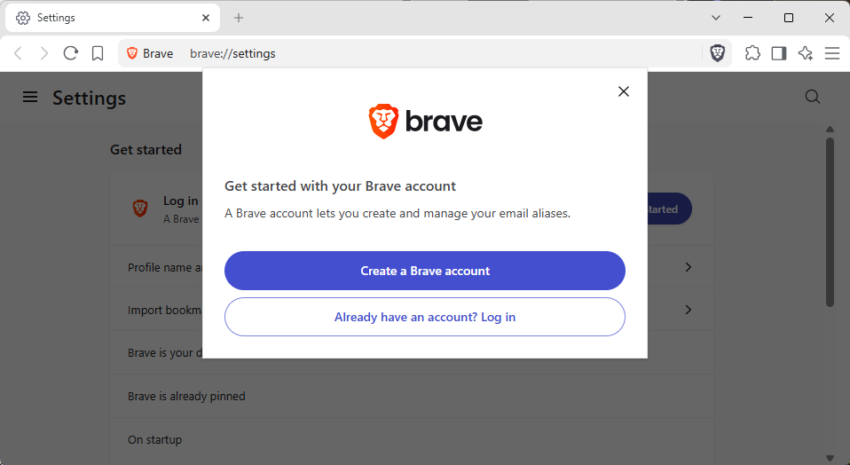
After you create a new Brave account, you get the option to use email aliases right in settings or while signing up for a new account on any website.

The main new address seems to be bravealias.com, which should work for the time being on most sites. Eventually, some sites will start to block and it would be a good idea to get additional options regarding the alias domain that one can pick for the alias.

All users get five free email aliases once they have set up a Brave account. Brave Software plans to introduce a paid upgrade option in the future, but has not revealed any details on that at the time of writing. It is very likely that it will feature higher limits, if any, and maybe also other alias options.

Patch

Firefox 154.0 is out with improved protections, local backups and translations

Posted on August 18, 2026August 18, 2026 by Martin Brinkmann

Mozilla released a new version of its open source Firefox web browser a moment ago. Firefox 154.0 is the latest stable version. Also released are Firefox 153.1 ESR, Firefox 140.14 ESR (reaching end of support in September) and Firefox 115.39.0 ESR (for old operating systems).

The new stable version comes with several new features and improvements to existing features. The usual bug fixes and security updates are also included.

As far as new features are concerned, there are several important ones. First, the open source browser’s local network access protection includes WebSocket connections now. Means, when a remote website asks for permission to use WebSocket, Firefox will display a permission prompt first. The user needs to allow this explicitly so that the website can open a WebSocket.

There is also a change to how Firefox handles sites and cookies for some sites. The release gives users more control, as it is now possible to exempt sites from the browser’s cookie and site data cleaner without exempting it from tracking protection and other cookie restrictions at the same time.

The local translations feature got two new options. It supports translations in iframes now and Firefox’s full-page translations feature now runs on all page loads, which Mozilla says improves the experience for offering translations.

Second, the browser’s backup feature for profiles is now also available on macOS, meaning that all three desktop operating systems are covered. IT is a built-in feature to create a backup of a Firefox profile to make restores easier. Should not bother long-time Firefox users who back up the profiles manually using external means, but may help users who never bothered or knew about this option in the first place.

Lastly, there is a change to hard reloading a website using Shift and clicking on the refresh button. This will now also clear and update favicons, the little icons you see in front of the site address on the main Firefox toolbar.

Firefox users who watch videos in the browser benefit from seeking improvements. Mozilla claims that this is much faster now. I don’t use Firefox for that, but if you do, feel free to share your experience in the comments below.

You may also notice that Firefox View is no longer visible by default. Mozilla is hiding it by default for new profiles and for profiles where it has not been used in a while. It is still accessible via List all tabs > View all tabs, and can also be added back using the customize menu on the new tab page.

As far as security fixes are concerned, there are quite a few. The aggregate rating is high and Mozilla makes no mentions of exploits in the wild. Still, good idea to update asap.

Firefox will continue to support uBlock Origin, says Mozilla

Posted on August 12, 2026August 12, 2026 by Martin Brinkmann

While companies like Google and Microsoft have dropped support for classic MV2 extensions already or are about to end support, some developers announced plans to continue supporting some or even all classic extensions.

Of all the major browsers, it is only Firefox that continues to support MV2 extensions. Mozilla has just reiterated that this is the case stating “Firefox support for uBlock Origin is not going anywhere.” on X.

Firefox support for uBlock Origin is not going anywhere. https://t.co/rhsBmU2QQG

— Firefox 🔥 (@firefox) August 10, 2026

As far as Chromium-based browsers are concerned, Brave plans to continue support for some extensions only, including uBlock Origin. Opera Software also claims to continue supporting MV2 extensions.

There are a few lesser known browsers, Thorium and Supermium, which pledged to continue their support for all MV2 extensions.

The background story

Google announced plans to switch Chromium, the open source part of Google Chrome and most browsers, to a new rules system. Called Manifest V3, or MV3, it was designed to replace the classic extensions system.

Google would not be Google if it would not have tried to pull a stunt on the browsing community by removing capabilities and replacing them half-heartedly. The outcry was big enough for Google to make some concessions, but the result was still a new system that lacked some of the capabilities of the old.

One of the types of extensions hit hardest by the changes were content blockers; exactly the extensions that threatened Google’s main source of revenue.

Google tests removing the Search button for, you guessed that one right, more AI

Posted on August 11, 2026August 11, 2026 by Martin Brinkmann

Google continues to make changes to Google Search. After introducing AI mode and some other AI features recently, it is now reportedly testing removing the trusted Search-button for another round of AI infusions.

The report comes from Search Engine Watch noting that some users are now seeing the new AI first search page now instead. While the search field remains for now, Google has removed the search button for three AI-powered features: Create images, ask about files and brainstorm. The “I am feeling lucky” button remains for now though.

While that is not a big problem for users who know that you can simply press the Enter-key to start a search, it may confuse some Google users nevertheless. They may activate the AI mode button, which opens an interface to interact with Google’s AI Gemini.

Pressing the three other buttons starts other activities, but not the classic search. According to Search Engine Watch, two of the three AI features work without a Google account, at least for now. Those are “ask about files” and brainstorm. Only create image remains locked for Google account customers.

So, is this a problem? Probably for some users who used the button all the time to start their searches and do not know about pressing the Enter-key.

The test shows that Google continues to focus on pushing AI options to Google Search and some of its other products, such as Google Maps or Gmail. I’m not a huge fan of this. Not because I have something against AI, but because it is causing problems for the remaining independent site owners and blog writers out there.

Ever since Google’s Panda update, things have been going downhill for many. Now with Google keeping more and more visitors to its search engine on its own site, thanks to AI delivering the answer right on site, even larger publishers have faced declines in traffic.

Microsoft is ending MV2 extensions support in Edge

Posted on August 8, 2026August 8, 2026 by Martin Brinkmann

If you are using Microsoft Edge as a browser on your systems and classic MV2 extensions, then you should be aware that Microsoft announced end of support for this type of extensions.

The company revealed that the top 95 percent of the top Edge extensions are already migrated to MV3 and that there are only 58 MV2-based extensions with “meaningful usage” in the Edge Add-on Store.

As a consequence, Microsoft aims to transition all non-Enterprise installations of Edge to supporting MV3 only by the end of 2026. Enterprise customers will get an extension to early 2027.

Edge users may start to see notices on the “Manage Extensions” page of the browser (edge://extensions) and on detail pages that support is ending. MV2 extensions will be turned off by default over the next few months and customers may get MV3 extensions recommended, if an alternative is available.

The changes will roll out to experimental versions of the browser first before they hit the stable population.

With Microsoft dropping support, the situation looks rather grim when it comes to Chromium-based browsers. Firefox remains a strong supporter for MV2 extensions and should be first pick in most cases.

However, here is an overview of Chromium-based browsers and their MV2 support:

BrowserMV2 Support StatusApproachCatch
BraveCuratedCustom Chromium engine patchesOnly supports four specific extensions (uBlock Origin, AdGuard, NoScript, uMatrix)
OperaLegacy onlyMaintaining backend workaroundsOnly works for previously installed extensions; the Opera store is now MV3-only
ThoriumFullHard-forking and restoring MV2 codeEnthusiast project; updates rely on a small team
SupermiumFullHard-forking and restoring MV2 codeNiche browser primarily designed for older Windows systems

Notes:

  • Brave force-enabled MV2 support by modifying their underlying Chromium engine, but they are not supporting the entire MV2 ecosystem.
  • Opera committed to keeping existing MV2 extensions functioning for as long as it remains “technically reasonable”. However, they have stopped accepting new MV2 extensions and transitioned their official extension store entirely to MV3.
  • Thorium: A performance-focused Chromium fork where the lead developer has explicitly committed to maintaining the MV2 loading code indefinitely.
  • Supermium: A privacy-focused browser (originally designed to bring modern web rendering to legacy Windows systems) that guarantees permanent MV2 support.

Seems that Firefox for iOS is getting an enabled adblocker

Posted on July 31, 2026July 31, 2026 by Martin Brinkmann

For the longest of times, Firefox users had to rely on extensions or other means to integrate content blocking in the open source browser. Extensions like NoScript or uBlock Origin provided Firefox users with excellent blocking capabilities.

However, only a fraction of all users of the browser installed these extensions. Mozilla’s argument that Firefox was a privacy-focused browser always fell a bit short because of it.

This could change soon though. After testing an ad-blocker in desktop Firefox earlier this year, Mozilla has integrated the option to block ads in Firefox Beta for iOS.

If you have installed Firefox 153.2 for iOS, you may notice a new option to “block ads” in the settings under browsing after enabling the “Ad Blocker” feature flag in the browser.

The setting appears to be enabled by default, but it is unclear whether that is only for the beta or if the final stable release will also have the content blocker enabled by default — or get it at all.

According to user tests, the implementation lacks user interface visibility, just like the test implementation in desktop Firefox. It remains to be seen where this will lead to. Will Firefox get a native content blocker just like Brave and some other Chromium-based browsers like Opera or Vivaldi? It is difficult to tell right now, but since it is in Beta, it seems possible that the next major Firefox for iOS release will include a built-in content blocker.

What is your take on this? Rely on native content blockers or extensions? Let us know in the comments below.

Microsoft shows ads to paying customers to extract even more money

Posted on July 29, 2026July 29, 2026 by Martin Brinkmann

If you use Microsoft 365, you may use the Office apps on your desktop devices that are part of the subscription package.

If you do, you may have noticed a new button in the title bar of any Office app that you launch on your device. It says “Upgrade your plan” and has a red dot attached to it to get your attention.

When you click on it, you get an option to upgrade to a new plan that costs more. Microsoft says that this upgrade gives customers “more AI usage and exclusive Copilot features”.

While you can close the window that opened, you may notice that the advertising button remains attached to the title bar. To make matters worse, Microsoft is not giving you any option to hide or remove it, let alone configure that something like it should never be shown again.

Someone at Microsoft must have thought that the upselling in the apps is a great way to increase revenue. The company has probably the numbers to back this up. While you anger some customers, you may get others to upgrade their plan and increase your bottom line in the process.

However, shoving an ad in the face of paying customers may not be the brightest of ideas, at least not this way. Microsoft has displayed ads in various products, including Windows, in the past years. All in an effort to push products, make additional sales or get users to upgrade.

It is probably one of the reasons why Windows has a less than stellar reputation at this point.

The strategy is always the same: add the ad in a location that gets lots of eyes, ignore the voice that questions the idea and also any user comment that is critical of the addition. Then, when things get too heated, remove it and claim that something like this will never happen again.

For anyone fed up with this, LibreOffice, a free and ad-free Office suite, may be a suitable replacement.

Firefox 153.0.1 is out with several crash fixes and more

Posted on July 28, 2026July 28, 2026 by Martin Brinkmann

Mozilla released a new stable version of its Firefox web browser a moment ago. Firefox 153.0.1 is a point update for the open source browser that is a bug-fix release for the most part. Good news from the security front: there are no security issues that needed fixing in the release.

Note: There is one unresolved issue that may affect Firefox users on Windows. Windows users who experience a crash after installing the update may need to download Firefox manually from Mozilla’s website to install it over the current broken installation. You could also wait with the installation of this update until the issue is resolved for good.

Probably the biggest fixes are several crashes that users of older versions of the browser may have experienced:

  • Fixed a startup crash on Windows that could occur after updating. It could happen when “some of the application’s internal files could not be loaded”. The updated Firefox should start properly now, but Mozilla notes, that some “parts of the interface” may not display correctly as a consequence.
  • Fixed a crash that could occur when loading a frame using a javascript: address.
  • Fixed a crash that could happen while typing in editable areas of a webpage.

Other than that, there is a fix for audio playing silently on some sites after pausing and resuming playback, and a fix for the New Tab page flashing “a few seconds after the page loaded” on systems with custom wallpapers.

Here is the list of the remaining fixes in the release:

  • Search engines that are already installed are not labeled as “New” anymore.
  • Pointer lock is improved, which is used by games and other web content to contain the pointer in the browser window.
  • Fixed that View Page Source would not load blob: documents. Also fixed a time-out issue on documents that inherit their origin.
  • Fixed an issue with the Developer Tool’s Inspector Rules view. Pseudo-elements could only be expanded once per selected element.

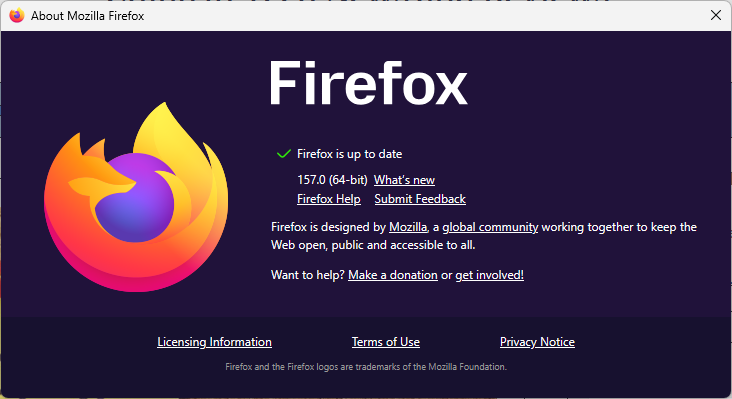
The update to Firefox 153.0.1 is available already. It should be installed automatically on most systems, but you can speed it up by selecting Help > About Firefox in the main menu.

You can now use a selfie to sign-in to your Google account

Posted on July 25, 2026July 25, 2026 by Martin Brinkmann

Google announced a new option to sign-in to a Google account this week. Called “Selfie Video”, it is specifically designed for signing-in when you are locked out or use a device that is not your “usual phone or computer”.

However, for this to work, it is necessary to set up Selfie Video prior to making use of it, Google notes.

Note: I got the “Selfie isn’t available as a sign-in option for this account” error when trying to set this up for tests. Not sure whether the feature is region-locked, as Google does not make any mentions of limitations.

Google describes the new feature in the following way:

Setting up a selfie video is simple: You just look at your device’s camera and complete a few short, guided head movements to capture multiple angles.

If you’re having trouble signing in later on, you just take another selfie to get back into your account. Selfie video compares the new video to the one you set up to confirm it is really you and help you get back into your account.

What about privacy and security? Google says the selfie video “is recorded and securely stored with your consent” and only used for sign in help, unless you decide to “share it for additional purposes”. The video is encrypted at rest according to Google, and there are “multiple layers of security to help prevent impersonation attempts”.

Here is my take: while this may look like yet another feature to get more data from its users, it is actually not the worst of ideas in some cases. First, it is optional, which means that you don’t have to use it and the majority of Google users probably won’t.

The main advantage is that this is independent of devices or security keys. If you don’t have access to your smartphone or computer anymore, you may lose access to your accounts or have troubles authorizing yourself. This selfie option could provide a way out in emergency situations. That is, provided that it works as advertised.

For users heavily invested — and thus trusting — in Google’s ecosystem, it could be an option for disaster recovery.

What about you? Would you use such a feature? Let me know in the comments below.

Google Search: AI Overviews reduces click-throughs by 60 percent, research suggests

Posted on July 23, 2026 by Martin Brinkmann

Ah Google Search, everyone’s favorite search engine that started out as an excellent source for Internet resources using links and is openly being turned into a service that eats everything that is in its way, even the very sites that fuel it.

A new report, cited by the Wall Street Journal, suggests that major US publishers have noticed sharp drops in organic Google Search traffic between June 2025 and June 2026.

According to the report, sites noticed decreases of organic traffic by up to 85 percent and the main reason for that appears to be AI Overviews. When Google Search displays an AI generated overview on a search results page, traffic to sites drops by about 60 percent according to the study. This leaves Discover traffic as the remaining traffic source from Google, but this comes with its own set of caveats, including a tendency for clickbait.

Major US publishers and sites, including Reddit, Politico and Business Insider, may turn to drastic measures to put an end to Google’s strategy of becoming the one and only destination on the Internet that users need.

Reddit, the Wall Street Journal reports, is considering dropping a potential renewal of its $60 million per year deal with Google. This would disallow Google from using the content published on Reddit for AI training and also prevent the company from showing Reddit content in its AI overviews.

Apart from losing the money, Reddit might also notice another drop in referrals from Google as a consequence, as it would likely no longer be listed by the AI Overviews feature.

My personal take: Google’s decisions have led to a decline in Internet blogs, at least in the tech sector. Independent owners of sites like Freeware Genius stopped publishing or pulled their sites entirely from the Internet because of Google. Now, the beneficiaries of Google’s algorithmic changes are facing a similar situation. Google is keeping the users that it used to send to these sites and now it is their business model that is in jeopardy.

Here is the outcome: Some will survive, as they may provide value that Google can’t replicate. Some will merge, others will vanish. Even big publications or sites may go down. Google might eventually notice that AI can’t generate fresh information on its own though.

  • 1
  • 2
  • 3
  • 4
  • …
  • 19
  • Next

Support This Site

If you like what I do please support me!

Any tip is appreciated. Thanks!
  • August 29, 2026 by Martin Brinkmann Another Windows Issue: Microsoft Defender Antivirus is turned off notification, but it is actually enabled
  • August 28, 2026 by Martin Brinkmann Brave Accounts and Email Aliases launch
  • August 25, 2026 by Martin Brinkmann Microsoft confirms: Latest .NET updates may cause printing issues
  • August 24, 2026 by Martin Brinkmann The Chrome Web Store has a fake VPN extensions problem
  • August 23, 2026 by Martin Brinkmann Microsoft is worsening classic Media Player to get users to upgrade

About

We talk, write and dream about Technology 24/7 here at Chipp.in. The site, created by Martin Brinkmann in 2023, focuses on well-researched tech news, reviews, guides, help and more.

Legal Notice

Our commitment

Many websites write about tech, but chipp.in is special in several ways. All of our guides are unique, and we will never just rehash news that you find elsewhere.

Read the About page for additional information on the site and its founder and author.

Support Us

We don't run advertisement on this site that tracks users. If you see ads, they are static links. Ads, including affiliate links, never affect our writing on this site.

Here is a link to our privacy policy

©2026 Chipp.in Tech News and Reviews