
The developers over at Vivaldi Software have released Vivaldi 8.0, a new milestone release that introduces new layout presets for users who are just getting started and significant theme improvements.
Vivaldi is one of the most customizable desktop browsers out there, maybe the one that you can customize the most, at least when it comes to the options that it ships with. While that is great for users who love to tinker with the browser until it is perfect for them, it may overwhelm new users.
That is the main reason for six new layout presets that Vivaldi 8.0 ships with. From simple and classic to auto hide or vertical left, all it takes is a click to apply a layout. Naturally, you still get the option afterwards to customize the browser interface. Want to add or remove something? All options to customize the interface are there for the taking.
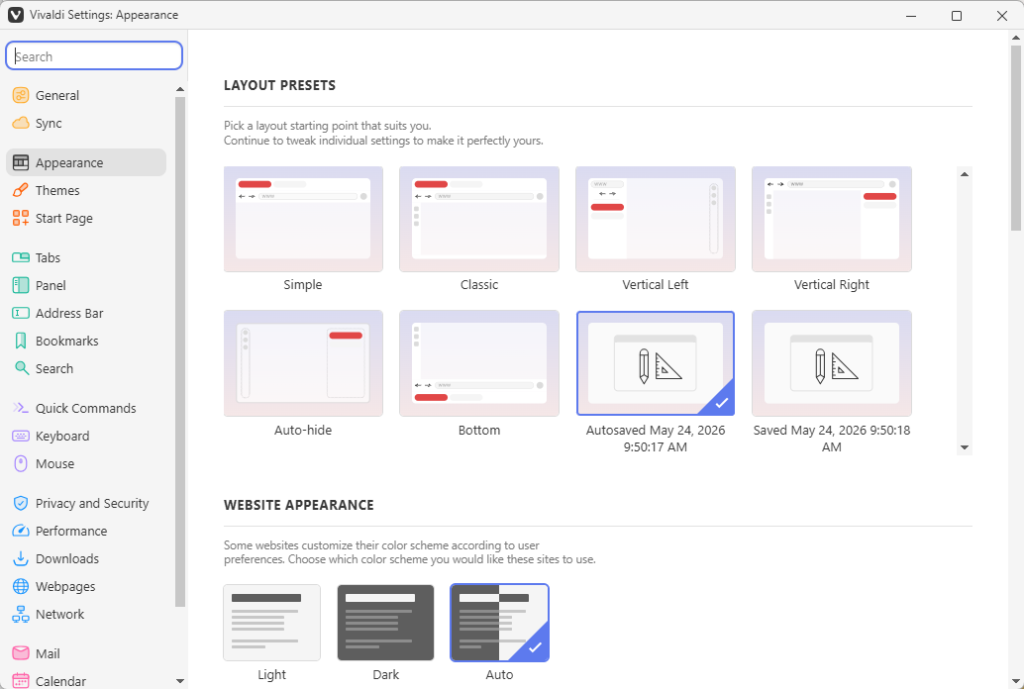
Veteran users of Vivaldi can safely ignore the new option, but it could be useful to new users who would otherwise feel overwhelmed with the choice that Vivaldi throws at them.
Theming improvements
The second big change of Vivaldi 8.0 is the introduction of the new “Unified” look. This more or less moves from using different layers with separations to a continuous surface.
Vivaldi explains:
All toolbars now live on a single, continuous surface: a Unified frame that wraps the entire browser. Instead of stacked regions, everything is composed within the same visual plane. That shift makes the interface feel more cohesive and easier to read. Alignment becomes more precise, spacing more intentional, and interaction more direct, because elements no longer sit in isolated layers.
Along with the change comes a selection of themes that you can pick after installing the new browser version. This does not touch any theme that you may be using at the time, but if you want to give a new theme a try, you can with the click of the button.
You can check out the full blog post here.
Now it is your turn. Have you tried Vivaldi recently or do you prefer to use a different web browser for your daily browsing? Feel free to leave a comment down below.
I’ve been using Vivaldi since version 2.0. In general it’s good for my needs, but every major update that introduces a new feature changes the way it works.
I wish that instead of enabling the new features on an update, they provided information about what’s new, how it works and how to enable it if I want to use it.