
News leaked some time ago that Mozilla was working on a new design for its open source Firefox web browser. Now, with the most recent version of the cutting edge Nightly browser comes the first glimpse of that new design.
However, the new Firefox design is not enabled by default and it may take some time before that is going to be the case.
What is Project Nova?
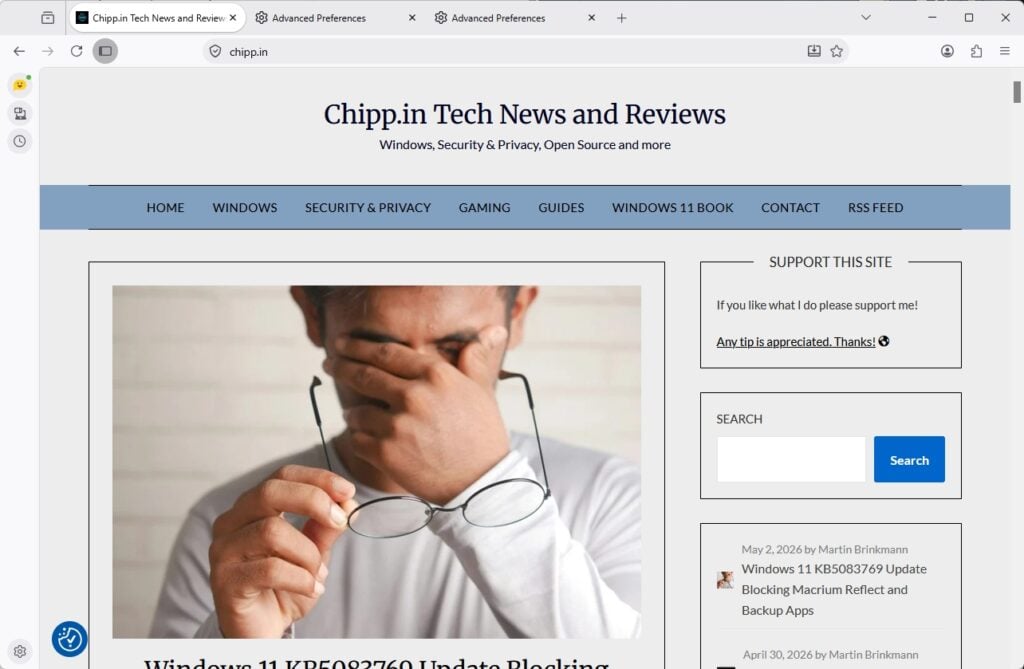
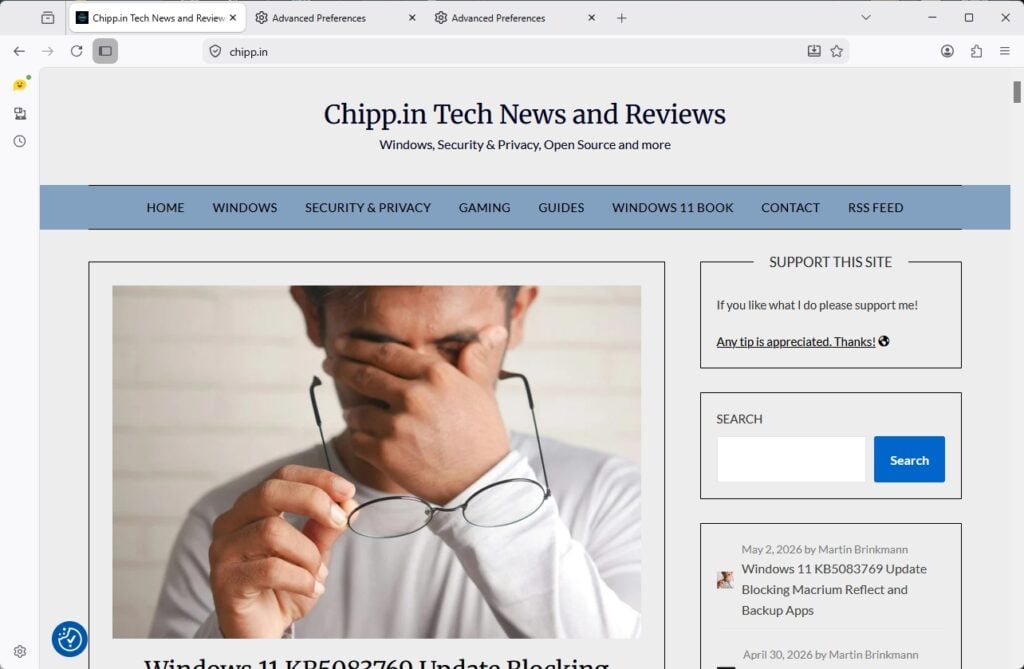
Internally dubbed Project Nova, this redesign departs from Firefox’s current aesthetic in favor of a much softer, modern interface heavily characterized by rounded elements. The most striking changes include the address bar and tabs, which now sit within a segmented, “floating island” UI element.
Additionally, web page content no longer sits flush against the edges of the browser window; instead, it is elegantly framed within a rounded container. Combined with curved hover effects and refreshed icons, Nova gives Firefox a noticeably more fluid and approachable appearance.
Beyond its structural changes, the Nova redesign introduces a fresh splash of personality through customizable pastel gradients and vibrant color accents on the new tab page and menus. As the major successor to the “Proton” UI introduced in 2021, Nova also brings functional layout updates, including improved integration for vertical tabs, a built-in compact mode to decrease UI spacing, and a revamped settings page.
How to enable Nova in Firefox
Make sure that you have installed the latest version of Firefox Nightly. Nova will come to Beta and Stable Firefox eventually, but this may take some time. If you want to give Nova a try right now, you need the development version.
- Load about:config in the Firefox address bar.
- Search for browser.nova.enabled.
- Use the toggle at the end of the line to set the preference to True.
- Restart Firefox.
If all worked out, you should see first bits of the new design in action.
It is not the biggest of re-designs at the moment. In fact, depending on the theme and website, you may not even notice that much has changed to begin with.
It still looks like cheap cell phone crap but now the bars across the top are wasting even more screen space.
Hopefully my custom css will keep working so I can have something that’s not fugly on my screen.
Think windows 7, 3D buttons, drop shadows, colorful icons… that’s what my firefox looks like.
“Beyond its structural changes, the Nova redesign introduces a fresh splash of personality through customizable pastel gradients and vibrant color accents on the new tab page and menus.”
If “the new tab page and menus.” didn’t remind us we’re talking about a browser, the poetry could apply to the latest automobile 🙂 Just smiling, Martin, no offense.
Pastel gradients is the new fashion. Never understood why given IMO it brings some sort of vague, soft focus which is welcomed in arts more than for a screen UI.
Generally speaking my opinion based on what I see of the Websites is that graphic designers have no education of colors and proportions, not more than of brightness, contrast, of their interconnections. Basically lousy. Pages that avoid exotic designs and keep tied to simplicity with very few colors and spaced elements never fatigue. So when it comes to the browser itself, that screen you spend hours with, simplicity is essential. No color gradients we hardly perceive, perhaps slight border radius, but not excessively.
Need to one day perhaps discover this ‘Project Nova’ (Firefox ESR here) but I doubt, if it happens to be imposed, that I won’t spend hours shifting 90% of the design towards an UI which pleases my visual comfort. We’d have to see but I remain as always very skeptical when it comes to refactored appearance design, simply because it seems graphic teams are more preoccupied by proposing anything acceptable for the sake of a new allure aiming on the conviction users will take it for a new breath of modernity rather than by the motivation of bringing a truly aesthetic and functional design.
Is this actually fixing anything? It appears to be just a visual change. If I dont like it can I disable it by changing the about:config browser.nova.enabled to false?