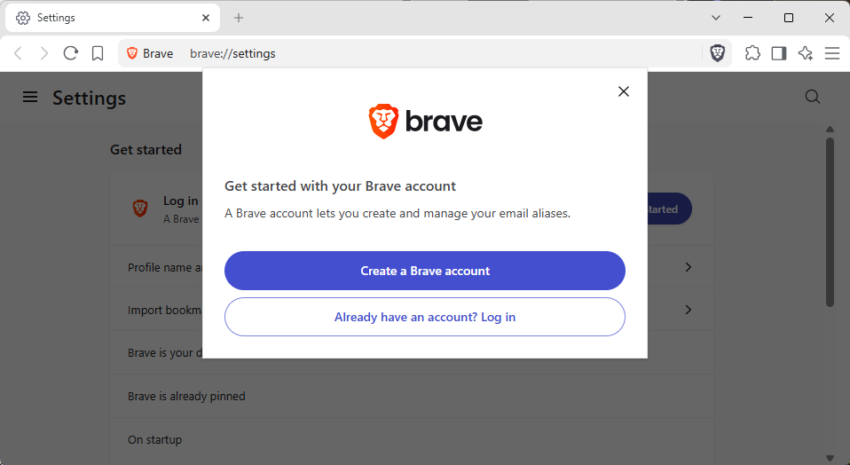
Brave Software, maker of Brave Browser, announced the launch of Brave Accounts yesterday. While the main idea of introducing native accounts is similar to how other browsers handle user accounts, that is, allowing users to sync data and use other services associated with the account, Brave Software uses technology that is vastly different.
Instead of sending hashes or encrypted passwords to remote servers, Brave Software says that passwords never leave the browser in the first place. It is “never transmitted”, which eliminates the need to trust a company securely storing password data in the first place.
Brave writes:
Here’s the short version: when you sign in to a service built on Brave Accounts, your password itself is never sent to our servers: not encrypted, not hashed, nor “briefly held in memory and then discarded”. The password is never transmitted, so you don’t have to “trust” that we are keeping it safe for you. We don’t know it at sign-up, we don’t know it at login, and if someone were to steal our entire password database tomorrow, with high probability they still wouldn’t know it.
Brave uses OPAQUE, “an augmented password-authenticated key exchange” for that. The underlying idea is that it allows the client — the browser in this case — to prove that the password is known without revealing it.
Technically the system relies on an Oblivious Pseudorandom Function.
This means that: you blind your password with a random value and send the blinded version of it; the server applies a secret key it holds and sends the result back; then, your device unblinds it. The output is a value derived from both your password and our server-side secret (the secret key), but the server learned nothing about your password, and you learned nothing about the key.
There are three advantages to using this method instead of the traditional password-hash checking according to Brave Software:
- Passwords are never transmitted.
- Attackers can’t use password dictionaries in their attacks.
- The export key can be used for other tasks, such as end-to-end encryption.
Email Aliases
One of the first features to make use of the new account system is email aliases. It allows Brave users to keep their personal email addresses private by creating aliases.
Sites communicate only with the alias, which forwards messages to your “real” email address.
After you create a new Brave account, you get the option to use email aliases right in settings or while signing up for a new account on any website.
The main new address seems to be bravealias.com, which should work for the time being on most sites. Eventually, some sites will start to block and it would be a good idea to get additional options regarding the alias domain that one can pick for the alias.
All users get five free email aliases once they have set up a Brave account. Brave Software plans to introduce a paid upgrade option in the future, but has not revealed any details on that at the time of writing. It is very likely that it will feature higher limits, if any, and maybe also other alias options.
I’ve been using Brave on my Android phone; it’s much faster than Chrome, and it blocks the ads! It also had numerous privacy settings that were first class. For the desktop, I still use Firefox or Edge.
The password system–how does that translate into the ability to make a backup of passwords that can be exported to another browser?
You still create a username (email) and a password during creation of the account. These can be used to sign-in on other devices.
*slow clap*
And what does Brave get out of this arrangement?
Every time I hear “login” I have this allergic reaction to people using my personal data for their own profit.
I was intrigued and use Brave very extensively.
A basic walkthrough:
(1) In Brave, went to brave://settings/email-aliases
(2) Created my Brave account using a true email address (to receive data from the aliases).
(3) Went down to “Your Email aliases” and rotated through until I found one I liked.
The account I chose to be the true email address was a yahoo one
Thats it for setup! Brave lets you create up to 5 aliases. Next, real time trial. I chose copilot since it always wants a sign-in. Would it let me use a randomized .alias account? From copilot’s menu, I chose sign in with a Microsoft account. I obviously was expecting it not to work since the alias is A: not a microsoft account and B: not registered. As expected, it said something to the effect of account not found.
Undeterred, I chose, set up a new microsoft account and pasted my newly created Brave alias as my email address. It allowed that, had me give a name, birth date, setup a new password. I provided the required information and since this is an anonymous account, I made note of the information provided for future use.
Microsoft did give me a bit of a once over and made me complete “Press and hold the button” anti-bot test FIVE times! I was five for five on the test and after that, it did send a verification code request to the .alias email account provided which forwarded to the true yahoo email account.
My true email did receive it, I confirmed with Microsoft and in I went into the world of Copilot!
A few thoughts:
This is no more anonymous than say using a throwaway outlook account BUT, the nice advantage is, if you tire of no longer want to use this alias, no problem! You simply go back to the brave settings where you created it and remove it or use a different one from your list. So a bit easier than abandoning an outlook.com account in that respect.
Finally with regard to anonymity specifically for this test but also would translate to any site you wish to use the alias upon:
The alias doesn’t hide your identity from microsoft (or wherever you’re using it) in every sense. It hides your underlying True email address. Microsoft can still identify you through your microsoft account, IP address, cookies, device information, phone number, etc., depending on what you provide and what its services collect. You can of course hide all that but it needs to be pointed out.
Still its nice to have and I’d recommend for a quick and easy throwaway account!