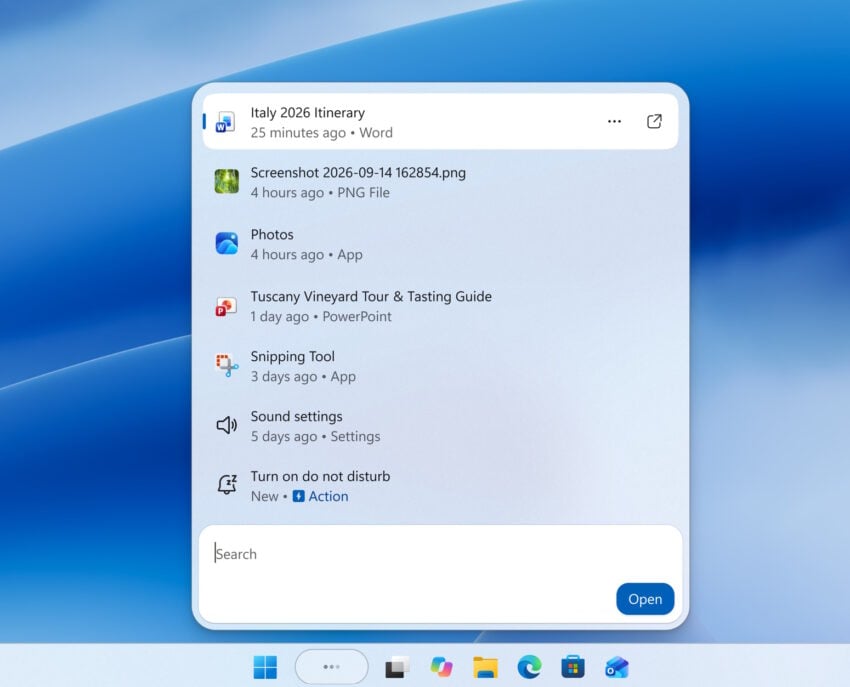
The days of using Windows Search mostly as an application launcher may be officially numbered. Starting this week, Microsoft is rolling out a fundamentally redesigned Windows Search experience to testers in the Windows Insider Experimental channel.
Built on a modernized WinUI 3 foundation, this new update transforms the familiar taskbar feature into a streamlined, clutter-free command center. The new Search allows users to perform some system tasks, such as toggling dark mode, right from the search results.
From finding to doing
The most significant shift in this update is the introduction of inline actions. Microsoft aims to reduce the friction of everyday tasks by allowing you to complete them directly within the search interface.
If that sounds familiar, it is something that Microsoft had planned for the initial Copilot AI for Windows. While the former never came to fruition, it appears that Microsoft has finally found a way to link user requests to direct actions.
Need to tweak your settings? You can now type phrases like “switch to dark mode,” “dim my screen,” or “turn on Bluetooth” to make immediate adjustments without digging through menus. The new search can even help you manage your workspace, responding to commands like “minimize all my windows” or “arrange windows on screen”.
In the near future, this functionality will expand to include Phone Link integrations, enabling actions like sending a text message from a connected device directly through the search bar.
What’s Ahead
Looking forward to next year, Microsoft plans to bring this new search experience to the Start menu, ensuring it adapts to various taskbar configurations. For now, searches originating from the Start menu will still use the existing interface while Microsoft gathers feedback from Insiders.
Ultimately, the goal is to create a search tool that understands natural language, provides richer in-context information, and integrates deeply with features like Copilot, closing the gap between finding information and taking action.
With testing just getting started, it is too early to tell if the reimagined search is going to be everything that Microsoft hopes it can be. The past has shown us that announcements and implementations do not always go hand in hand. If Microsoft manages to implement more than a few inline actions, it has the potential of becoming a useful feature used by many users of the system.
On the other hand, if there are just ten or so actions, it is probably something that won’t make a big impact.