Mozilla plans to release a new major update for its open source web browser tomorrow. Firefox 157 is not another light release that makes changes mostly under the hood, as it introduces the Project Nova design refresh to the community.
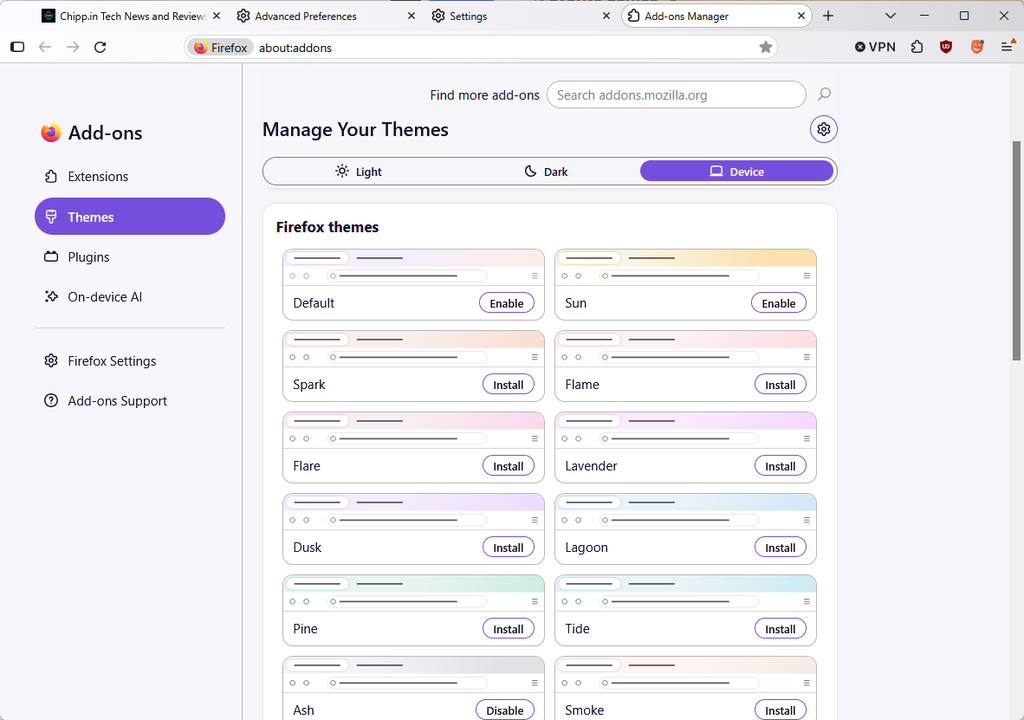
When you launch it, you will see bits of the new design right away, even if you run a custom theme in Firefox. The main reason for that is that Nova changes the structure of the browser interface to a degree. It adds rounder tabs, software pop-over-menus and a redesigned address bar.
If the theme is set to default, you may notice a new color palette for it, which may not be to everyone’s liking. You can change it in the settings of the browser under appearance. I went there and switched the Ash theme on immediately to get a less-colorful scheme.
Advanced Firefox users who use userChrome.css to modify the browser may run into problems, as CSS code may need to be updated to play along nicely with the new design and layout of the open source browser.
Nova is the first significant update of Firefox since Proton launched back in 2021. Veteran users of the browser may also remember the Photon and Australis changes of 2017 and 2014.
There is also a new compact option for the interface, which I enabled immediately. You find it by loading about:preferences#appearance and switching to Compact under Window density there.
How to disable Nova in Firefox: There is a workaround to disable Nova for now. All you have to do is open about:config in the address bar, find browser.nova.enabled and set it to False. This disables the redesign. It will be a temporary option though, as Mozilla will likely remove the flag eventually. Another option is to use Firefox ESR for the time being, as it won’t get the update until it gets its next major version update in 2027.
What else is new?
If you look past the redesigned interface, you will find a few new features and many bug fixes. The highlight is support for hardware-accelerated AV1 WebRTC video calls decoding which may improve the performance on supported devices.
There is a new warning for connections that may not be private when opening the shield icon of a site as well.
Firefox Suggest’s rollout continues with multiple European countries now supported. The feature displays information in the browser’s address bar, which you can disable in the settings of the browser in the Search category.
As far as other changes are concerned; Amazon Search is removed, but still available in the search preferences. The updated sidebar is now available for everyone and you can still disable it by setting sidebar.revamp to False, but this will only remain an option until the end of 2027. YouTube users, who change the playback speed constantly may notice performance improvements while playing videos in the browser.