Chipp.in Tech News and Reviews

Windows, Security & Privacy, Open Source and more

Menu
  • Home
  • Windows
  • Security & Privacy
  • Gaming
  • Guides
  • Windows 11 Book
  • Contact
  • RSS Feed
Menu
Google

Google: “people have been finding ads within AI overviews helpful”, so we are expanding them

Posted on May 22, 2025May 22, 2025 by Martin Brinkmann

When you run a search on Google, you may get an AI Overview at the top of the results. Google announced an expansion of the AI-powered feature to roll out in more markets and for more languages.

Google revealed information about its AI plans yesterday on its Ads & Commerce blog. There, the company noted that AI Overviews is “one of the most successful launches in Search in the past decade”. Google saw a 10 percent increase in usage of Google for queries that displayed the overview generated by Google’s Gemini AI.

As a consequence, Google is expanding ads across AI Overviews. In particular, Google says that it is expanding ads in AI Overviews in English to more countries on mobile and desktop, and Search and Shopping ads in AI Overviews for desktop users in the United States.

Ads will also be tested in AI Mode, which Google calls its “most powerful AI search” feature. AI Mode is limited to Google Search users from the United States at the time of writing.

In other words: expect (more) advertisement in AI Overviews and other AI tools in the coming months and years.

Clearly, running AI is expensive. While companies like Google, Meta, or Microsoft have the means to sustain development, infrastructure and operations, the clear goal is the direct or indirect generation of revenue from these services.

Direct revenue may come from subscriptions or ads, indirect revenue from using data for training or other purposes.

The consequences are clear: users should expect to see more and more ads baked into AI services. This looks like a testing ground currently, but it looks similar to how Google introduced ads in search. First, some ads, separated clearly from search results. Now, Google users get more ads than organic search results in some queries and there is no longer a clear distinction between the two.

Now You: do you use AI services? What is your take on ads being integrated into those?

Gemini Google Chrome

Gemini in Chrome: Google integrates AI directly into the browser

Posted on May 21, 2025May 21, 2025 by Martin Brinkmann

Google announced Gemini in Chrome yesterday. The integration of the AI into Google’s browser is the next step in Google’s masterplan to spice up its products using artificial intelligence.

Chrome users in the United States who are subscribed to Google AI Pro or the new Google AI Ultra plan, will be the first to gain access to the AI.

The initial version closes the gap to other browsers that use AI already to summarize webpages for users or allow users to ask questions about the content of a website.

Gemini for Chrome will do the same initially. You activate the AI tool with a click on its icon in Chrome. From there, you can ask questions or give it instructions. The first iteration is limited to the active webpage. You can, for instance, ask it to explain certain concepts to you or provide a summary of the key points.

Google included the following examples in a demo video:

  • Make a regular recipe gluten-free.
  • Helping a student understand the differences between chemical bonds.
  • Adding a reminder to calendar.
  • Asking Gemini which plant is best from a selection of plants in open tabs.
  • Asking Gemini which poses one should do for a racing podium.

Note: it is a good idea to verify information generated by AI to make sure it is accurate.

Gemini in Chrome: goal is full access to all tabs and agentic functionality

Google is working on improving this base functionality. The company plans to give Gemini access to all open tabs. This enables more features, including the ability to compare different webpages or products or taking everything into account when generating a response.

Gemini will also be able to open websites on behalf of the user, according to Google’s announcement. Google did not explain why users would want the AI to open webpages on their behalf.

Closing Words

Like it or not, AI is going to be integrated into the majority of web browsers. Not everyone will see the use of this, but this will surely expose AI tools to more users. This could change how users use web browsers, searches, and the Web significantly.

Now You: do you use AI features or tools in your browser of choice already? Let me know in the comments below.

Microsoft Edit Open Source Text Editor

Microsoft’s new open source Edit application may remind you of the classic MS-DOS Editor

Posted on May 20, 2025May 20, 2025 by Martin Brinkmann

If you have used computers for a long time, you may remember MS-DOS and the tools that Microsoft shipped with it. Microsoft developed Edit, an open source command line text editor for Windows as an homage of sorts.

Interested users can download and install the latest version of Edit for Windows or build the app from scratch, if they prefer to do so. Microsoft plans to integrate the editor into insider builds of Windows first before making it available to all users as part of Windows 11. It is also available for Linux.

The big difference to the classic MS-DOS Editor is that Edit has a modern graphical user interface.

Microsoft describes Edit in the following way on GitHub:

This editor pays homage to the classic MS-DOS Editor, but with a modern interface and input controls similar to VS Code. The goal is to provide an accessible editor that even users largely unfamiliar with terminals can easily use.

Edit has a size of just 250 kilobytes and users may run the app without installation.

Here are key features that Microsoft highlights on this Dev blog:

  • Lightweight open source text editor.
  • Supports mouse and text user interface to select all menu options using keys.
  • Support for opening several files and switching between them using Ctrl-P.
  • Support for finding and replacing text. Use the keyboard shortcut CTRL-R for that, or select Edit > Replace.
  • Word wrap support.

Compared to established text editors, the functionality is not really special. Notepad++, for instance, supports additional features, such as syntax highlighting, which Edit does not.

Edit on the other hand does not appear to be an attempt by Microsoft to introduce competition to established third-party editors. Microsoft itself says that the main goal of Edit was to introduce a command line text editor for 64-bit versions of Windows, as these come without one (unlike 32-bit versions of Windows).

Closing Words

Edit looks like an interesting protect. It is open source, lightweight, and will one day be included in default Windows installations. That does not mean that you have to use it, but it is an option for users who like these types of editors.

Now You: what is your take on Edit? Will you give it a go? Let us know in the comments.

Opera GX

Opera GX update introduce new usability features, including one that is a first

Posted on May 19, 2025May 19, 2025 by Martin Brinkmann

When was the last big usability feature introduced in your favorite browser? One that is new and unique? Not speaking of tab groups and vertical tabs support in Firefox. While great and new to users of the browser — if you ignore extensions and Mozilla’s decade-old attempts, they are not particularly new features.

Google and other Chromium browsers supported tab groups for quite some time, and some browsers, like Vivaldi, supported vertical tabs as well. Opera introduced AI-powered tab commands recently and an AI browser operator that acts as the user’s agent.

Opera announced three new features for its gaming browser Opera GX the other day. Not all of them are new as well, but some are. It is a browser for gamers, featuring gaming news and all kinds of gaming related features, including themes and sounds that Opera thinks appeal to gamers.

It is not my preferred browser, but Opera continues to introduce features to it that I find interesting. This particular update introduces three:

  • Split tabs — this enables you to display two open websites side by side. Opera says this is ideal for keeping an eye on the game you are playing while using another tab to chat or look up information.
  • Tab traces — if you have lots of tabs open, you know that it is sometimes difficult to switch to a tab was active recently. While most browsers on the desktop support the shortcut Ctrl-Shift-Tab or Ctrl-Tab to go back to the previous active tab. Tab traces in Opera GX highlights the five tabs that were active previously, making it a tad easier to switch back and forth between tabs. The minimum number of open tabs for the feature in Opear GX can be configured in the settings.
  • Automatic tab islands (tab groups) — Opera GX will create tab groups automatically, if you open links from a page in a new tab. This bundles all links together, so that you get handy options, such as collapsing all tabs at once.

You can check out the blog post on the official Opera blog for additional information.

Split tabs is a useful feature, provided that the browser window is large enough to display two websites side by side without side-scrolling. Tab traces sounds like a useful feature, as it may enable you to locate the previous tabs quickly. Good option for users who do not use shortcuts.

What is your take on these features? Good additions to the browser? Do you use similar features in your browser of choice?

Netflix to use AI “to serve the right ad to the right member at the right time”

Posted on May 18, 2025May 18, 2025 by Martin Brinkmann

The next frontier for AI is advertisement. While some companies are already experimenting with AI-powered advertising formats, more and more will hop on the bandwagon to increase revenue and ideally make ads more lucrative for companies and better for users as well.

Netflix announced a push into AI-drive advertising, which it calls creative formats, just this week. The main idea is to improve advertising results with the help of generative artificial intelligence. The new ad-powered plans have pushed Netflix subscribers and revenue to new heights and there is seemingly no end to the growth just yet.

For users, the new formats could lead to more ads that try new tricks to get them to click and make a purchase.

Creative Ad-formats incoming

The first creative formats that come out of Netflix’s new modular framework for ads are interactive midrolls and pause ad formats. These introduce custom advertising creatives with “added overlays, call to action, second screen buttons, and more” to serve “the right ad to the right member at the right time”.

Netflix revealed that these new formats will become available in all countries in which the ad-supported Netflix plan is supported. The company plans to finish the rollout by 2026.

Does that mean that Netflix subscribers, who are subscribed to an ad-powered plan, will see more advertisement in the future? It sounds like it. Pause ads, for instance, are a new ad format that pushes advertisement to the screen when the viewer hits the pause button on the remote. That is one ad that has not been displayed before.

The new creative mid-roll ads, which Netflix says are interactive, are also new. It is possible that these are deducted from the hourly playtime of advertisement on Netflix, but Netflix has not commented on any of that at this stage.

Closing Words

AI-powered advertisement could introduce another issue to Netfix subscribers, besides increasing ads on the platform. AI may optimize ads and placements of ads to increase user engagement. In other words, it could lead to an increased spending by users by exploiting emotions or using other psychological tricks.

If you want my advice, it is better to sign-up for a single month or two of ad-free viewing on Netflix per year than to subscribe to the streaming service for an entire year. You could subscribe to other streaming services for a month or two as well each year. You will save quite a bit of money doing so, and the only downside is that you may not be able to view a particular show or movie when it comes out.

Now You: are you subscribed to ad-powered plans at Netflix or other streaming services? What is your take on these plans in general? Feel free to leave a comment down below.

Windows 10 update may cause another Bitlocker recovery reboot issue

Posted on May 17, 2025May 17, 2025 by Martin Brinkmann

What is with Windows operating systems and issues with the default encryption software Bitlocker? Last year, Windows 11 users suffered from the issue after installation of certain updates for their systems.

Now, Microsoft is confirming a similar issue for users of the Windows 10 operating system.

The details:

  • The update in question is KB5058379, the May 2025 cumulative update for Windows 10, version 22H2.
  • It affects Windows 10 systems with Intel 10th generation or later vPro processors that use Intel Trusted Execution Technology (TXT)
  • An automatic repair is triggered on affected systems after installation of the update. This may require the entering of the BitLocker recovery key to proceed with the automatic repair.

Microsoft confirmed the issue on the official Windows 10, version 22H2 health dashboard. There, the company writes:

We are aware of a known issue on devices with Intel Trusted Execution Technology (TXT) enabled on 10th generation or later Intel vPro processors. On these systems, installing the May 13, 2025, Windows security update (KB5058379) might cause lsass.exe to terminate unexpectedly, triggering an Automatic Repair. On devices with BitLocker enabled, BitLocker requires the input of your BitLocker recovery key to initiate the Automatic Repair.

Affected devices may enter one of two states according to Microsoft:

  • They may try to install the update for Windows 10 several times before Startup Repair rolls back to the previous version of Windows 10.
  • Startup Repair may run into an error on some devices, which ultimately will trigger the Bitlocker recovery screen.

The first state should not require extensive troubleshooting or frantic searching for the Bitlocker recovery key. You can consult this Microsoft support page that lists all options to look up the recovery key.

System administrators may notice the following additional symptoms on affected devices:

  • ​Event ID 20 might appear in the Windows Event Viewer in the System event log, with the following text: “Installation Failure: Windows failed to install the following update with error 0x800F0845: 2025-05 Cumulative Update for Windows 10 22H2 for x64-based Systems (KB5058379).”
  • ​Event ID 1074 might appear in the System event log, with the text: “The system process ‘C:\WINDOWS\system32\lsass.exe’ terminated unexpectedly with status code -1073740791.”

Microsoft is working on a resolution for the issue and plans to release an out-of-band update once that administrators may install on affected devices. The company says that it plans to release the update in the coming days on the Microsoft Update Catalog website.

Users and administrators should monitor the issue on the Microsoft Health dashboard website for updates.

Google Search

Chrome 136 update patches security issue that is exploited in the wild

Posted on May 15, 2025May 15, 2025 by Martin Brinkmann

Google released a security update for its Chrome web browser for the desktop and Android that fixes several security issue. One of the issues is rated high and already exploited on the Internet according to Google.

The details:

  • The update is available for Chrome on Windows, Linux, Mac, and Android.
  • It includes fixes for four security issues in total.
  • The update is a point update for Chrome 136.

The security update changes the version of the Chrome web browser to the following versions:

  • Windows and Mac: 136.0.7103.113 or 136.0.7103.114
  • Linux: 136.0.7103.113
  • Android: 136.0.7103.125

Google lists just two of the fixed security issues on the official Chrome Releases blog. One of them is CVE-2025-4664, which is rated high and described as a “insufficient policy enforcement in loader” security issue.

Malicious users may exploit the issue to “leak cross-origin data via a crafted HTML page”. Google notes that it is aware of exploits in the wild, but does not provide additional information on the scope of the attacks.

Chrome users are encouraged to update their browser immediately to protect their data against potential attacks targetting the vulnerability.

Desktop users may select Menu > Help > About Google Chrome to run a check for updates. This should pick up the latest version and install it on the device. Android users can’t speed up the installation of the update unfortunately.

It is possible that other Chromium-based browsers are also affected by the issue. Expect security updates for these browsers in the coming hours and days as well.

Security

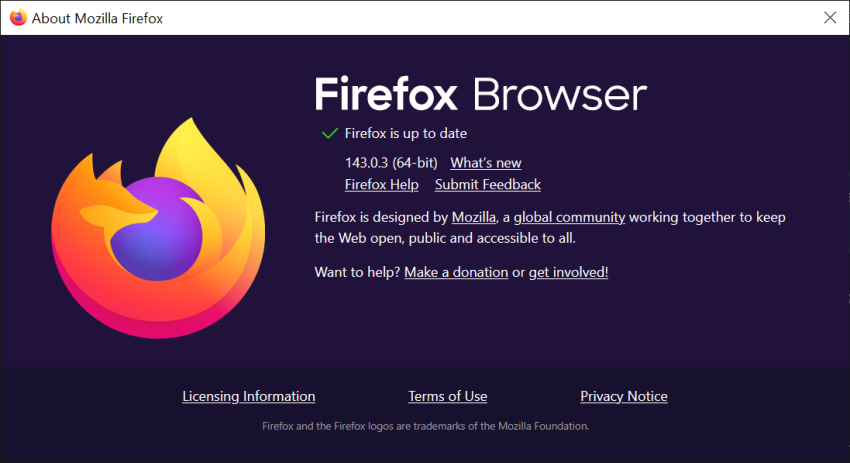
Firefox 138.0.3 fixes two crashes and some other issues

Posted on May 13, 2025May 14, 2025 by Martin Brinkmann

Mozilla plans to release a new point update for its open source Firefox web browser later today. Firefox 138.0.3 is a non-security update that fixes three issues in earlier versions of the web browser, including one crash issue.

If you use Firefox on the desktop only, you may ask yourself if you missed the Firefox 138.0.2 release. You may have, as this special version was only released for Firefox on Android.

Firefox 138.0.3: the fixed issues

Firefox 138.0.3 fixes a WebGL-related crash. Mozilla notes that Firefox could crash when websites that use WebGL were opened. WebGL, which stands for Web Graphics Library, is used to render 2D and 3D graphics using JavaScript.

Web games and other interactive or animated content may make use of WebGL. So, if you ran into crashes while running the recent version of Firefox, there is a good chance that this was caused by the WebGL bug.

The update fixes a second crash. This one occurred on websites where certain SVG effects were applied to very small areas.

Firefox 138.0.3 fixes two additional issues:

  • Videos looked washed out on Linux under Wayland, if HDR was not supported on the system.
  • The keyboard shortcut Alt-C did not work as expected in the sidebar search.

Mozilla has not published the official release notes at this time. The release notes will be published shortly after the Firefox 138.0.3. You can access them here afterwards to check them out.

The new update is only available for the desktop versions of the Firefox web browser. Furthermore, Firefox ESR are not updated, as they appear to be unaffected by the issues.

Mozilla plans to release the next major version of Firefox and Firefox ESR on May 29th, 2025. The following versions will be released on the day:

  • Firefox 139
  • Firefox 115.24 ESR
  • Firefox 128.11 ESR

Now you: where you affected by one or several of the fixed bugs? How do you handle point updates usually? Do you install them right away, postpone their installation, or skip them? Feel free to leave a comment down below.

Microsoft 365: Windows 10 continues to be supported, at least somewhat

Posted on May 12, 2025May 13, 2025 by Martin Brinkmann

Microsoft plans to end support for several editions of Windows 10 this October. While customers may subscribe to extended security updates to extend support by one (home) or up to three (business / Enterprise) years, it was unclear how Microsoft would handle support for some of its other products and services running on Windows 10, including Microsoft 365.

Do Windows 10 customers, who run apps like Word or Excel after October 14th, 2025, get support when they run into issues? What about software updates? These customers pay Microsoft for access after all.

A new blog post by Microsoft provides answers to these questions and others that customers may have.

Will Microsoft 365 continue to work after Windows 10’s end of support date? Microsoft says yes. Apps like Word or Excel will continue to work. The company notes, however, that running the apps on an unsupported operating system may lead to performance and reliability issues. Microsoft recommends to switch to Windows 11 to avoid these.

For how long will Microsoft support Microsoft 365 on Windows 10? Microsoft plans to release security updates for Microsoft 365 apps under Windows 10 for three years starting the day support ends officially. This seems to imply that the applications won’t receive feature updates anymore. Whether that is indeed the case remains to be seen. Support will end on October 10th, 2028 either way.

Support is limited on Windows 10. While Microsoft promises to support Microsoft 365 apps on Windows 10 for another three years with security updates, it is limiting support in other areas. When customers encounter bugs that affect the Windows 10 version only, Microsoft support will ask the customer to make the switch to Windows 11.

Microsoft limited Office support in the past on Windows systems that ran out of support.

In closing, Microsoft 365 customers may continue to use apps like Word or Excel after support ends. Microsoft will provide security updates for three years, but does not guarantee much besides that.

Now You: do you use Microsoft Office or Microsoft 365? Are you affected by the end of support for Windows 10?

Windows 10 has five different official end of support dates

Posted on May 11, 2025May 11, 2025 by Martin Brinkmann

For years, Microsoft has warned Windows 10 customers that the operating system is reaching its end of support in October 2025. Did you know that this is only the cause for specific editions of Windows 10 and that there are numerous other editions that Microsoft will continue to support for years after 2025?

Depending on the Windows 10 edition, support may end in 2026, 2027, 2029, or 2032. That’s right, there is one edition that will receive updates for another 7 years.

The good folks over at Deskmodder have created a list of the different Windows 10 editions and their end of support. Here it is, translated into English:

October 14th, 2025:

  • Windows 10 (22H2) Home/Pro
  • Windows 10 (22H2) Enterprise and Education
  • Windows 10 2015 LTSB (First Windows 10 version)
  • Windows 10 IoT Enterprise (First Windows 10 version)
  • Windows 10 IoT Enterprise LTSB 2015 (First Windows 10 version)

October 13th, 2026:

  • Windows 10 2016 LTSB
  • Windows 10 IoT Enterprise LTSB 2016

January 12th, 2027

  • Windows 10 Enterprise LTSC 2021

January 9th, 2029

  • Windows 10 Enterprise LTSC 2019
  • Windows 10 IoT Enterprise LTSC 2019

January 13th, 2032

  • Windows 10 IoT Enterprise LTSC 2021

All listed Enterprise editions will continue to receive support until they reach their end of support date. This means that they do not need ESU, extended security updates, for that.

ESU is only for Windows 10 Home and Pro customers who want to extend support by a year, and for Windows 10 Enterprise or Education customers, who may extend support by up to three years.

Hacks circulated in the past that allowed users of out-of-support operating systems to install updates designed for still-supported versions and editions of the same operating system. It seems likely that hacks will be discovered to allow the same on Windows 10 machines.

Now You: Are you affected by the end of support for Windows 10? If so, what do you plan to do? If not, which operating system do you run on your devices?

  • Previous
  • 1
  • …
  • 21
  • 22
  • 23
  • 24
  • 25
  • 26
  • 27
  • …
  • 74
  • Next

Support This Site

If you like what I do please support me!

Any tip is appreciated. Thanks!
  • April 20, 2026 by Martin Brinkmann WhatsApp Plus launches: would you pay for these features?
  • April 18, 2026 by Martin Brinkmann Google App for Desktop is now available and it is all about AI
  • April 16, 2026 by Martin Brinkmann Windows 11 Context Menu Manager: remove items with a click
  • April 15, 2026 by Martin Brinkmann One Exploited Zero-Day and Record Numbers: The April 2026 Windows Patch Tuesday Breakdown
  • April 14, 2026 by Martin Brinkmann Brave is getting Container support and the feature has made a big jump recently

About

We talk, write and dream about Technology 24/7 here at Chipp.in. The site, created by Martin Brinkmann in 2023, focuses on well-researched tech news, reviews, guides, help and more.

Legal Notice

Our commitment

Many websites write about tech, but chipp.in is special in several ways. All of our guides are unique, and we will never just rehash news that you find elsewhere.

Read the About page for additional information on the site and its founder and author.

Support Us

We don't run advertisement on this site that tracks users. If you see ads, they are static links. Ads, including affiliate links, never affect our writing on this site.

Here is a link to our privacy policy

©2026 Chipp.in Tech News and Reviews