If you have used browsers long enough you may have come to a point where you came up with ideas for extensions to make the experience better. For most browser users, this probably ended right at the idea stage. Creating a browser extension required knowledge of certain technologies and some hard work.
Not anymore, apparently. Opera Software introduced Extension Builder in its Neon browser. Opera Neon, if you don’t know, is the company’s agentic browser. It is free to download and use, but if you don’t have your own agentic infrastructure already, you need a subscription to use Opera’s.
The idea behind Extension Builder is relatively simple. You use a prompt to tell the integrated AI to create the extension for you based on what you type. It creates the extension, you enable it, and start using it. You don’t need any coding skills and can apparently submit it to Opera’s web store as well. Are the AI-created extensions labeled specifically? I don’t know whether that is the case.
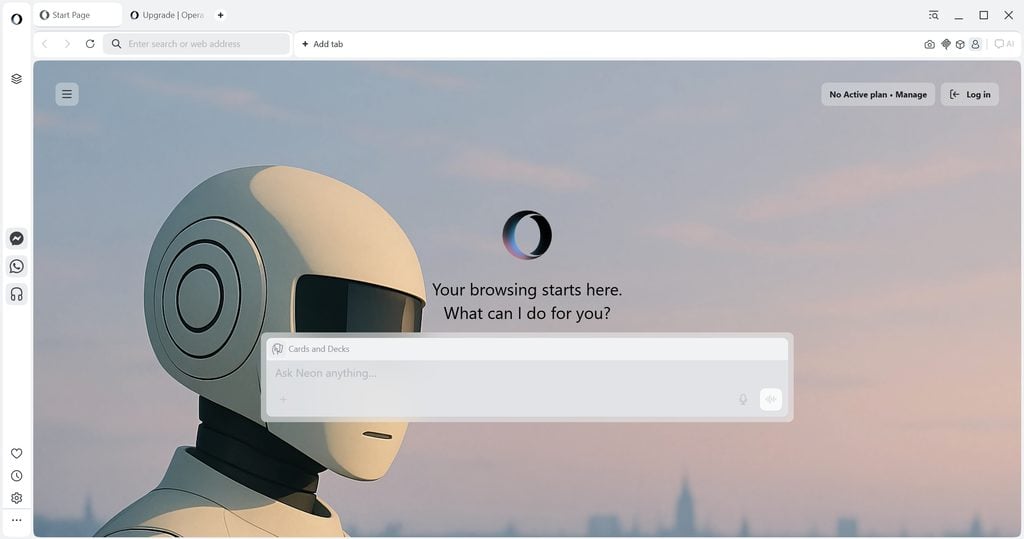
When you try to create an extension or even use the AI chat in Opera Neon, you will notice that you can’t right away. The “Ask Neon anything” chat interface is locked and you see the “no active plan” at the top right indicating that you need to do something to start using it.
I tried to get the AI interface to become available, but to no avail. Enabled Web AI, downloaded local models, but nothing seemed to work. It is possible that you do need to be signed in to an Opera account at the very least to even start using the chat. A hint of sorts would be great, if that is the case. There was no indication however.
Whether the new Extension Builder is a good idea or not remains to be seen. Someone with enough knowledge of extensions needs to analyze the code quality and also security of the created extensions. Are there limitations? Time will tell, but my test ended prematurely unfortunately.