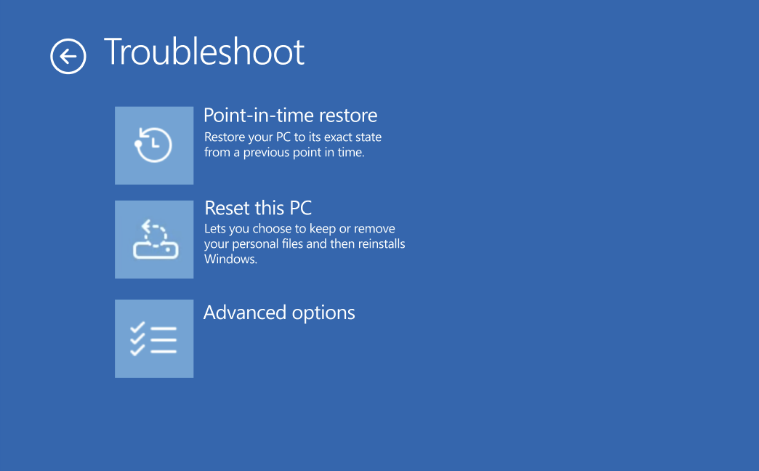
Imagine if a bad driver update or a bad update completely trashed your PC setup, but you could instantly roll the entire machine back to exactly how it was yesterday—local user files and all—in just a few minutes.
That scenario required use of third-party backup solutions until now. On June 23, 2026, Microsoft announced the general availability of its new, built-in Point-in-Time Restore feature for Windows 11 PCs (versions 24H2 and later).
According to the official release on the Microsoft Windows IT Pro Blog, this native recovery tool automatically captures full-system snapshots every 24 hours, giving Home, Pro, and Enterprise users a safety net to bypass hours of painful troubleshooting when something breaks the PC.
How Point-in-Time Restore works
Point-in-Time Restore acts as a comprehensive safety net for your operating system. Operating quietly in the background, the feature automatically captures full-system snapshots on a recurring schedule—defaulting to every 24 hours—and saves them directly to local storage.
Using it, you can roll back the PC to a previous state in minutes, according to Microsoft. That is excellent when a driver, Windows update or corrupted application affects the machine.
While it sounds similar to the classic “System Restore” tool windows users have known for decades, Microsoft built this version from scratch for modern PC management. The key upgrades include:
- Inclusion of User Files: Legacy System Restore intentionally ignored personal data. Point-in-Time Restore captures the exact state of your machine, including the Windows OS, system configurations, settings, installed applications, and your local user files.
- Smart Storage Management: To avoid eating up your hard drive, it integrates directly with Windows’ “reserved storage” (space set aside for updates). It enforces strict cleanup policies and caps its default disk footprint at just 2% of your drive.
- Native Integration: The interface is cleanly built into the modern Settings app (System > Recovery), making it accessible without digging into the legacy Control Panel.
Here is a table that Microsoft provided to compare it to System Restore:
| Point-in-time restore | System Restore | |
| Restore points | Automatic, configurable cadence; user files are included in restore point | Event-triggered or manual only; user files are excluded from restore point |
| Reliability | Strict retention and cleanup policies | No retention limits |
| User experience | Integrated in system settings | Limited to control panel |
| Storage impact | Minimizes storage impact by integrating with reserved storage* | Higher impact to storage space |
| Management | Will support robust remote management capabilities | Limited remote management capabilities |
Default Availability and Rules
The feature is turned on by default on unmanaged Windows 11 Home and Pro devices, provided that the primary drive partition is 200 GB or larger.
If disaster strikes and your PC won’t boot into the main desktop, the recovery process is designed to work securely inside the Windows Recovery Environment (Windows RE).
The feature has its shortcomings though, especially when compared to third-party backup solutions. For one, restore points are kept for up to 72 hours only. That is a big problem in some cases, as issues may occur after the period. There is seemingly no option to store a restore point indefinitely, While Enterprise admins may change the retention period, 72 hours appears to be the longest.
Means: while Point-in-time restore is easier to use and in some cases better than System Restore, it won’t replace traditional backup options due to its 72 hour retention period.
Please just tell me how to turn it off.
NVM my previous post about disabling it, Brink already posted the information on elevenforum.com.
https://www.elevenforum.com/t/enable-or-disable-point-in-time-restore-in-windows-11.42394/
Finally, a feature that is useful on paper. It remains to be seen whether it will actually work…
It would be nice to be able to customize this a bit (e.g, by extending the 72 hour limit by allocating more disk drive space to the PIT storage area), but this does seem like a genuinely useful addition. It’s a shame that I’m actually surprised by that, but hopefully it is a sign of things to come as Microsoft works to restore user trust in Windows.
Of course it is Microsoft and this so I’ll disable this for a few months while the rest of the user beta testers work through the inevitable bugs. 🙂
I didn’t have the KB5095093 update that BetaNews mentioned, so I tried merging the .reg key from ElevenForum, but the PIT Restore option still didn’t appear. Installing the update from the Microsoft Catalog finally enabled it.
Now, is it worth relying on? I prefer creating my own system images every two weeks. If things go sideways (usually from over-tweaking), my go-to is an in-place repair using a downloaded ISO—it keeps all my files and programs intact. Another solid option is Windows’ built-in ‘Reset this PC’ in Recovery, which works well but takes time.
System Restore, on the other hand, is so slow I’ve never been sure if it actually works.
Will PIT Restore make this any better–will it be a reliable feature?