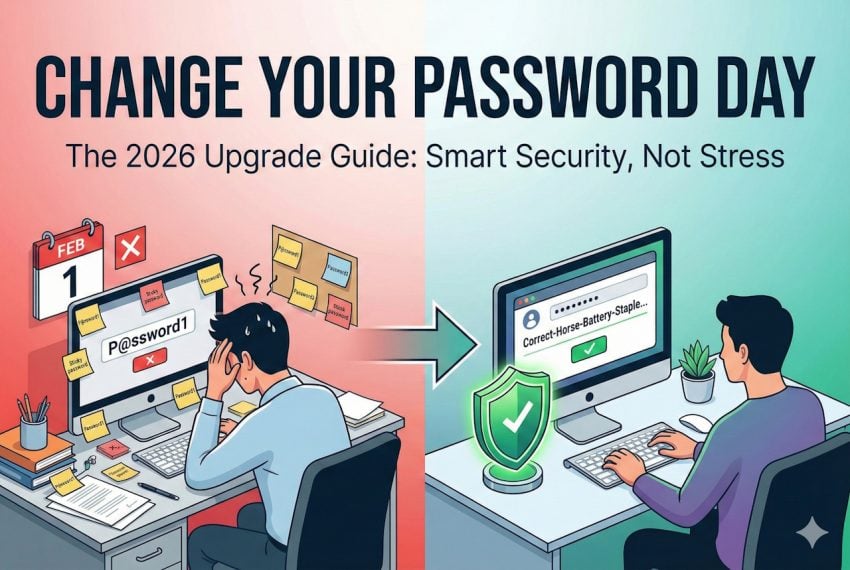
Today is officially “Change Your Password Day”, a special day designed to put cybersecurity top of mind. But before you rush to update your logins, pause for a moment: experts now warn that changing your password simply for the sake of the calendar might actually hurt your security more than it helps.
The idea behind the day is simple: Every year, go through your list of accounts and passwords, and change them. Why? The original logic behind the day dates back to a time when modern threat detection and additional layers of account protections did not exist.
Changing passwords frequently could disrupt brute force attempts, silent breaches, or accidental leaks. While that did make sense in some cases back in the days, it is seen as hurting more than it helps in most cases today. Even back then, it caused all kinds of inconveniences, for instance, when on the next day of work, employees starting to make calls to the IT department, because they could not get into their accounts anymore.
In fact, experts suggest that password should only be changed in very specific circumstances, such as:
- Re-use of passwords across multiple sites, as it goes against the “one site, one unique password” recommendation.
- Weak passwords, as todays computers can break into these in seconds or minutes.
- Breached passwords, which is self-explanatory
- When someone else might have access.
However, it is recommended to act immediately instead of waiting for password-day to come along.
This day, at best, is a reminder for users to look at their passwords and start changing the weak, leaked, or re-used ones immediately. While at it, it is recommended to set up another layer of protection, for instance two-factor authentication, for important accounts.
Here is why most security experts advise against frequent password changes: In many cases users pick easy to remember passwords, especially in organizations. The reason is simple: lack of a password manager requires that users remember the passwords. With frequent changes, this becomes a nuisance. Employees started to iterate passwords to help their memory, while others wrote them down to avoid having to contact the IT department to get the password reset ever so often.
The Modern Security Checklist
- Run a check for data breaches. Go to HaveIBeenPwned.com (or use your password manager’s security dashboard) to see if your email or passwords have appeared in a known data leak. Change only the compromised ones immediately, including on other sites if the password was re-used.
- Audit your passwords: Check for the following:
- Password length: Too short means weak. Aim for at least 16 characters.
- Password re-use: All passwords should be unique. If one gets breached, hackers only gain access to one account, not several.
- Remove the ghosts: If you do not use an account anymore, close it.
- Second layer: Consider Adding two-factor authentication or other means of protection to important accounts.
- Check recovery options: Make sure email addresses or phone numbers are set correctly, backup codes stored securely, in case of an emergency account recovery.
The era of Tr0ub4dor&3 is over. In 2026, the best gift you can give your digital self is length, uniqueness, and a second layer of defense. So, celebrate “Change Your Password Day” the modern way: upgrade your security once, do it right, and then go enjoy the rest of your Sunday knowing your digital life is locked tight.
The Modern Security Checklist, as detailed, indeed. Yet “123456”, “qwerty”, “azerty” and the like continue to flourish and will carry on for eternity as it seems.
While users’ responsibility is imperative I think that sites should refuse passwords that do not respect a minimum of requirements: at least 16 upper/lower/custom characters. That won’t stop re-use of passwords, might even increase it for those who never heard about a password manager: they already re-use simplistic passwords so asking them complex and unique ones may bring tears and revolt (baby style), a reason why many/most sites are laxest when it comes to playing daddies with kiddish irresponsible minds: they wouldn’t want to loose a subscription be it at the cost of security.
Even better, get rid of the password and start using passkeys, and some websites might allow you to only login with a code sent to your email/SMS.
Tr0ub4dor&3 is stronger than most of mine on throwaway accounts. i’d say the era of Tr0ub4dor&3 is just getting started with everything requiring apps and accounts for no reason.