
Google announced three new features for its Chrome web browser on its official The Keyword blog recently. The new features — split view, save to Drive, and annotate — improve the productivity of Chrome users according to Google.
Users of several other browsers may not find the features as exciting as Google, as at least some of the features have been supported by other browsers for some time.
Split View is coming to Chrome
Split View is a typical example of such a feature. It allows you to display two websites next to each other in a single tab. Instead of displaying the two sites in two browser windows next to each other, you may display them in a single window.
This has some advantages, like easier handling as you interact with a single window only. However, there are also some disadvantages, including that only one address is shown in the address bar at a time.
Split View is not a new feature. In fact, Google is late to the party. Microsoft Edge, Vivaldi, Opera or Brave Browser support the mode already. Mozilla has also launched the feature in its Firefox web browser, but it is experimental at the time of writing.
How to use Split View in Chrome
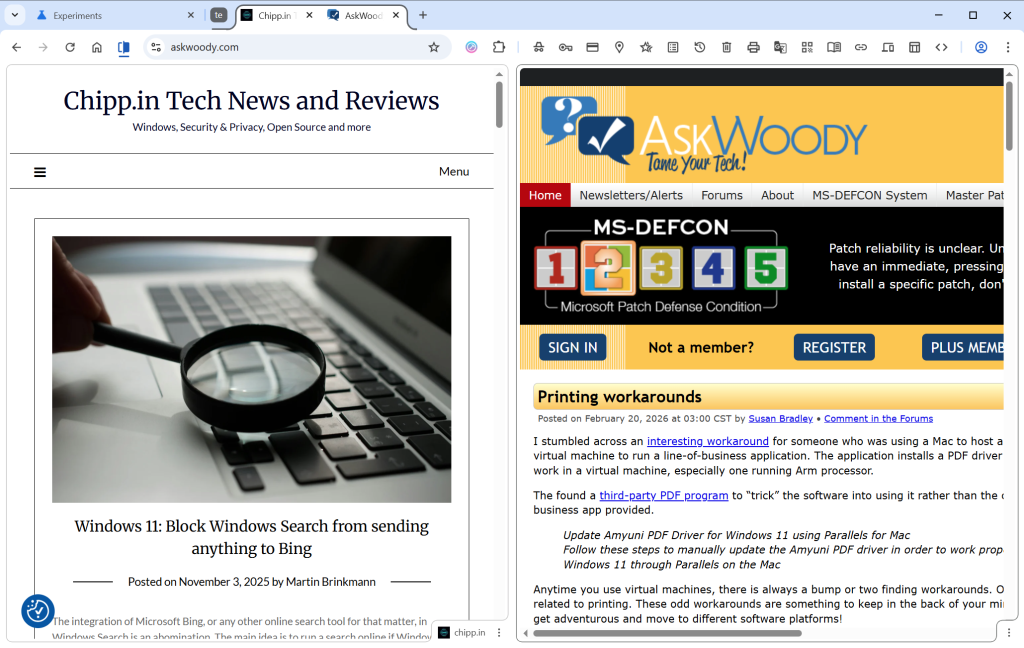
Simply right-click on a tab in the web browser and select “Add tab to new Split View”. Chrome splits the space in half, with the right side empty in the beginning. Just select an open tab, which Chrome displays, type an address or pick a bookmark to load it in the second half.
Chrome displays both open websites in the same tab, but only the URL of the active tab in the address bar.
PDF annotations
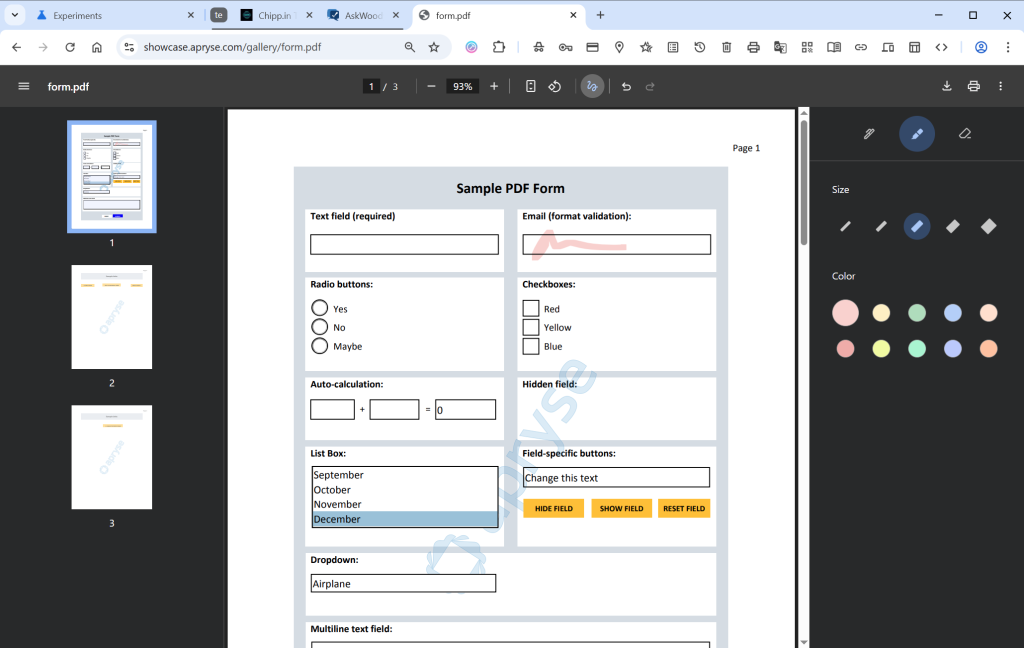
If you open PDF documents in Chrome, you can now “highlight text and add notes” to it right in the browser. Google says that this eliminates the need to use a separate application for that.
This is not exactly a new feature either, as both Microsoft Edge and Mozilla Firefox have supported the feature for quite some time.
To use it, open a PDF document in Chrome and click on the draw icon in the toolbar once it is displayed. Here you find the new options to annotate directly to the PDF file.
Save to Drive
This is probably the strangest edition in this feature update. Google is reaching feature parity with Split View and PDF annotations, which is a good reason to introduce the features.
However, Save to Drive is the outlier. It enables you to save PDF documents that you view in Chrome to Google Drive. Google says this keeps important documents backed up in the cloud.
It is not as if this was not possible before already, at least in many cases. If you run Google Drive on your system, you could simply put the file into the Drive folder to store it locally and online. I guess it helps if you do not run the software and want to save PDFs to Drive directly. Saves the step of saving the document locally first before uploading it.
Now You: what is your take on the new features? Something that would make you switch to Google’s browser?