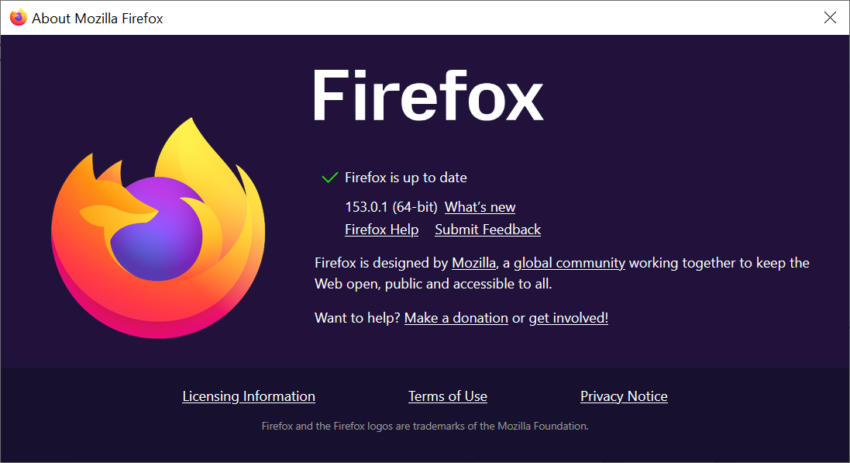
Mozilla released a new stable version of its Firefox web browser a moment ago. Firefox 153.0.1 is a point update for the open source browser that is a bug-fix release for the most part. Good news from the security front: there are no security issues that needed fixing in the release.
Note: There is one unresolved issue that may affect Firefox users on Windows. Windows users who experience a crash after installing the update may need to download Firefox manually from Mozilla’s website to install it over the current broken installation. You could also wait with the installation of this update until the issue is resolved for good.
Probably the biggest fixes are several crashes that users of older versions of the browser may have experienced:
- Fixed a startup crash on Windows that could occur after updating. It could happen when “some of the application’s internal files could not be loaded”. The updated Firefox should start properly now, but Mozilla notes, that some “parts of the interface” may not display correctly as a consequence.
- Fixed a crash that could occur when loading a frame using a javascript: address.
- Fixed a crash that could happen while typing in editable areas of a webpage.
Other than that, there is a fix for audio playing silently on some sites after pausing and resuming playback, and a fix for the New Tab page flashing “a few seconds after the page loaded” on systems with custom wallpapers.
Here is the list of the remaining fixes in the release:
- Search engines that are already installed are not labeled as “New” anymore.
- Pointer lock is improved, which is used by games and other web content to contain the pointer in the browser window.
- Fixed that View Page Source would not load blob: documents. Also fixed a time-out issue on documents that inherit their origin.
- Fixed an issue with the Developer Tool’s Inspector Rules view. Pseudo-elements could only be expanded once per selected element.
The update to Firefox 153.0.1 is available already. It should be installed automatically on most systems, but you can speed it up by selecting Help > About Firefox in the main menu.