When you check File Explorer on a freshly installed copy of Windows, you will likely notice that the main drive, the Windows drive, has the label C:. Why not A: or B:?
Computer users who grew up in the age of floppy disks and drives know the answer. Back in the days when computers shipped with floppy disks as the main storage system, drive A: and drive B: were reserved for these.
The first floppy drive got the A: label and it was used as the boot drive. You would insert a MS-DOS or Windows startup disk and the computer would load the operating system from the drive.
The second floppy drive, if the computer had one, got the B: label. Two floppy drives were useful, as it meant that you could copy data from one floppy disk to another easily, and also needed to swap disks less often.
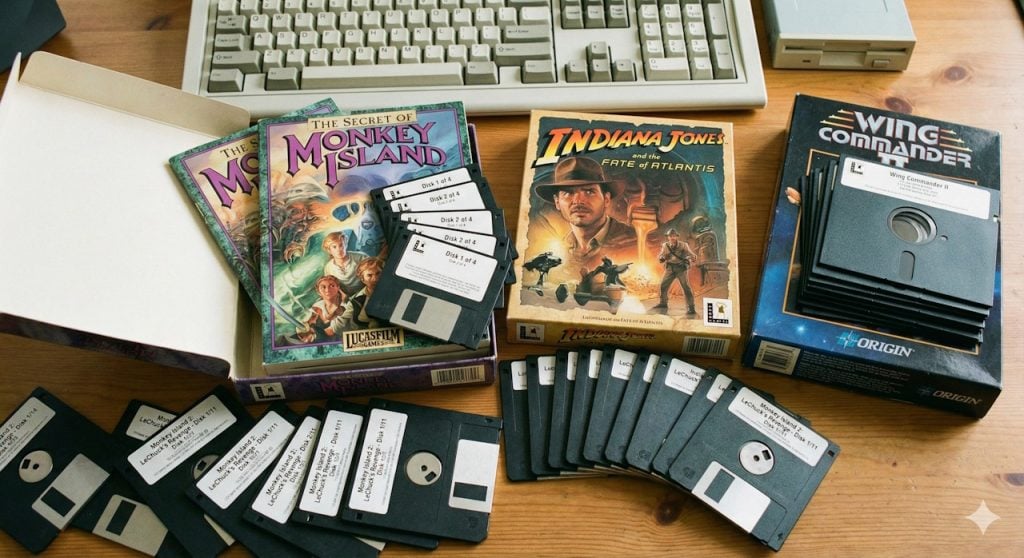
However, some games came on more than ten floppy disks. Even if you had two disk drives, you still had to swap disks a lot. While you could connect more than two floppy drives to computers, barely any computer user had more than two floppy drives.
The age of the hard drive
Computer hard drives became more affordable in the mid to late 1980s. Floppy drives were still common, and since it would mean utter chaos to change the default order of assigning the first two drive letters to floppy disk drives, the first hard drive of the computer got C: assigned as the next available letter after A and B.
Drive C:, a hard drive with an astonishing amount of storage space — 20 or 40 megabytes– in the late 80s, became the standard drive for the operating system.
Fun fact: The first 1 gigabyte hard drive cost about $5,000 in 1991.
A computer with two hard drives would assign the drive letters C: and D: to the two drives by default.
CD-ROM drives enter the world
Disk drives increased in storage capacity rapidly, and so did requirements of operating systems, software, and games. Games and apps started to become that big, that they could not be delivered on floppy disks anymore.
CD-ROM became the new standard for delivering software and games. These optical drives were often assigned the label D:, on a computer with just a single hard drive, or the letter E:, on a computer with two hard drives or mapped partitions.
Why has not Microsoft moved to using A: for the system drive?
Floppy disks and drives are hard to come by these days. This has not changed the fact that the drive letters A and B are still not used by Windows for the main system drive.
The main reason why Microsoft has not changed the default mapping is backwards compatibility. Doing so could break countless older programs, scripts and shortcuts that reference hard-coded file paths on drive C:.
Technically speaking, it is possible to use the drives A: and B: on Windows. You can, for example, assign a hard drive or USB flash drive to the drive letters, and they will work. However, Windows will never map new drives or partitions to the first two drive letters.
Hacks even allow knowledgeable users to install Windows on A: or B: instead of C:, but it may lead to instabilities and most users might want to refrain from doing so because of that.