Chipp.in Tech News and Reviews

Windows, Security & Privacy, Open Source and more

Menu
  • Home
  • Windows
  • Security & Privacy
  • Gaming
  • Guides
  • Windows 11 Book
  • Contact
  • RSS Feed
Menu

Tag: amd

Intel’s Nightmare Arrives in Q2: NVIDIA to Launch High-Performance ARM Chips for Windows

Posted on January 20, 2026January 20, 2026 by Martin Brinkmann

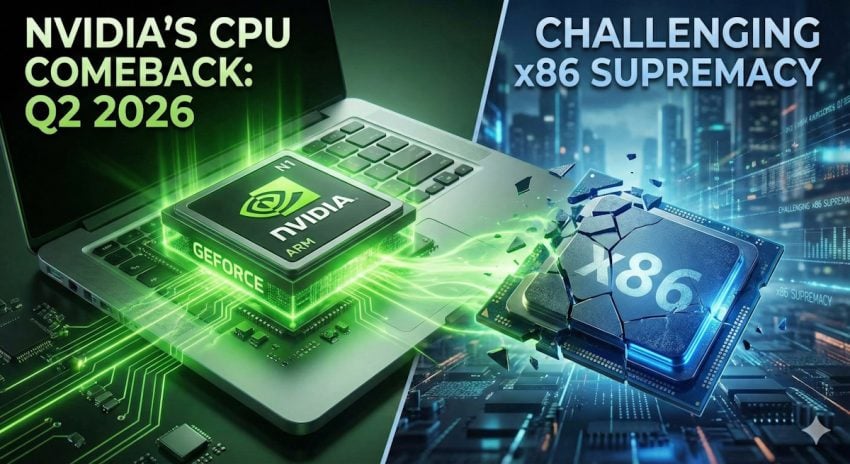
Intel’s and AMD’s nightmare has a release date. According to new reports, NVIDIA will debut its high-performance N1 and N1X consumer processors by Q2 2026, marking the company’s aggressive entry into the Windows laptop market.

The launch would end a long period of rumors and sets the stage for a major showdown, as NVIDIA attempts to replace traditional x86 CPUs with its own custom ARM architecture.

The report comes from the usually well-informed DigiTimes. Nvidia plans to release its first Nvidia N1X chip in notebooks in the first half of 2026 according to the report. DigiTimes reports further, that Nvidia has plans to release a second generation chip — N2/N2X — as early as the third-quarter of 2027.

Nvidia will follow the same business strategy that it has implemented for its graphics cards. It will create a reference design, which other manufacturers may customize.

It has been over a decade that Nvidia released a processor for Windows PCs. Back in 2013, Nvidia released the Tegra 4 processor for the Microsoft Surface 2 device, which ran on Windows RT 8.1.

We all know how this worked out. Windows RT was a colossal failure for Microsoft, in large parts due to its locked-down nature. Microsoft limited apps to the Windows 8 Store for the most part, which meant that users could not run any traditional Windows desktop apps on RT devices.

Windows on ARM has evolved significantly since the RT days. One of the main advantages of Windows 11 on ARM is support for classic Windows programs through emulation.

However, while Windows on ARM offers advantages in some fields, it does lag behind in others. Notably, it is gaming and legacy compatibility — think older PC hardware — that ARM has problems with.

For NVIDIA, the N1 launch represents unfinished business. More than a decade after the Surface 2 and the rocky Windows RT era, the company is returning to a landscape that has fundamentally changed.

The ultimate winners here are likely the consumers, as NVIDIA could provide the high-performance push that Windows on ARM needs to finally thrive. And while predicting the death of the x86 PC is premature, it is certain that Intel and AMD will be watching this release with bated breath.

Now it is your turn. Are your main systems still powered by AMD or Intel hardware, or do you use some with ARM processors already? Feel free to leave a comment down below.

AMD Frame Latency Meter

AMD released a new open source tool that works on Windows PCs, even those with NVIDIA cards

Posted on July 24, 2024July 24, 2024 by Martin Brinkmann

AMD has released the first version of Frame Latency Meter, an open source tool for Microsoft Windows devices that is measuring the latency of the mouse.

Technically, Frame Latency Meter helps getting insights into a system’s performance by measuring the mouse’s response time from the moment it is moved to the moment the frame is displayed on the screen.

Who is the target for the tool? This is an advanced tool that aims at game developers, but also power gamers who like to squeeze as many FPS as possible out of their rigs.

Here are the details:

  • Frame Latency Meter is compatible with devices running Windows 10 or 11.
  • It works on AMD, Intel, or Nvidia devices.
  • Data can be exported to CSV files.
  • Hotkeys are available and configurable.
  • Screen capture region can be customized.

The main advantage of AMD’s tool is that it does not require any special equipment.

AMD has a quick start guide on the project’s GitHub repository. While you can simply run the program after download, it does not need to be installed, you end up with the default configuration.

AMD suggests the following steps:

  1. Configure the primary monitor to run the game on — Set to free sync or a manual refresh rate. AMD suggests to start with 60Hz first.
  2. Run the application.
  3. Press the right Alt-key to set the capture region bounding box. (only shows if the game is running in windowed mode).
  4. Run the game.
  5. Use the shortcut Alt-T to enable and disable the capturing.

In theory, you could use the tool to optimize gaming performance on any Windows system that meets the requirements.

Most gamers won’t, but it is nevertheless an interesting tool, especially for game developers who want to make sure their games run fine. Game developers who used high speed camera setups in the past may want to give this a go to see how it stacks up. It is a much cheaper option, after all.

Gamers who want to optimize their systems may run game-specific benchmarks to do so. This is a good way of adjusting game settings to improve performance.

What about you? Do you play computer games on your Windows systems? Feel free to leave a comment down below to let us know.

Support This Site

If you like what I do please support me!

Any tip is appreciated. Thanks!
  • March 13, 2026 by Martin Brinkmann Google Chrome 146: Security update fixes two vulnerabilities that are already exploited
  • March 12, 2026 by Martin Brinkmann Disney+launches Verts, a Tinder-TikTok-like vertical video feed for content discovery
  • March 11, 2026 by Martin Brinkmann Mozilla changes plans, extends Firefox support on Windows 7 and 8 once more
  • March 11, 2026 by Martin Brinkmann Two Public Zero-Days: The March 2026 Windows Patch Tuesday Breakdown
  • March 10, 2026 by Martin Brinkmann What you need to know about the Secure Boot certificate expiration in Windows

About

We talk, write and dream about Technology 24/7 here at Chipp.in. The site, created by Martin Brinkmann in 2023, focuses on well-researched tech news, reviews, guides, help and more.

Legal Notice

Our commitment

Many websites write about tech, but chipp.in is special in several ways. All of our guides are unique, and we will never just rehash news that you find elsewhere.

Read the About page for additional information on the site and its founder and author.

Support Us

We don't run advertisement on this site that tracks users. If you see ads, they are static links. Ads, including affiliate links, never affect our writing on this site.

Here is a link to our privacy policy

©2026 Chipp.in Tech News and Reviews