If you thought your web browser was just a quiet, lightweight tool for surfing the internet, Microsoft is here to aggressively change your mind.
On Monday, the tech giant rolled out a massive, AI-centric update to its Edge browser across desktop and mobile platforms, that is shifting the focus to an AI that is heavily integrated in the browser.
The Copilot update promises productivity perks – like the AI ability to run tasks across multiple open tabs at once – but it is also making significant changes for all users, even those who don’t plan on using the AI features.
AI is growing up
Microsoft is moving AI away from being just a standard chat box and turning it into a functional browsing assistant. Core practical additions include, according to Microsoft:
- Multi-Tab Reasoning: This is arguably the standout feature. Instead of manually cross-referencing information, Copilot can now read across multiple open tabs (e.g., comparing hotel prices, reading different product reviews) and summarize the differences for you.
- Mobile Parity: Complex AI features like multi-tab reasoning, screen sharing (“Vision”), and hands-free voice interactions are coming to the Edge mobile app, making on-the-go research much easier.
- “Journeys” Tackles Tab Hoarding: Instead of leaving dozens of tabs open forever, Edge will now automatically group your browsing history into topic cards (e.g., “Camping Trip Plan”), summarizing where you left off so you can easily resume projects later.
- Accessibility & Study Tools: The ability to turn your open tabs into an audio Podcast, alongside built-in study modes that generate quizzes from webpages, are fantastic additions for students, auditory learners, or people looking to consume content while multitasking.
The “Critical” Take
While the features sound useful, the update doubles down on Microsoft’s controversial strategy of making Edge less of a web browser and more of an AI system.
- Massive Data Ingestion: Copilot now has “long-term memory,” analyzes your past chats, reads your browsing history, and actively scans multiple open tabs at once. While Microsoft insists this is done “with your permission” and protects your privacy, the sheer amount of personal data being fed into the AI to make these features work will undoubtedly make privacy-conscious users uncomfortable.
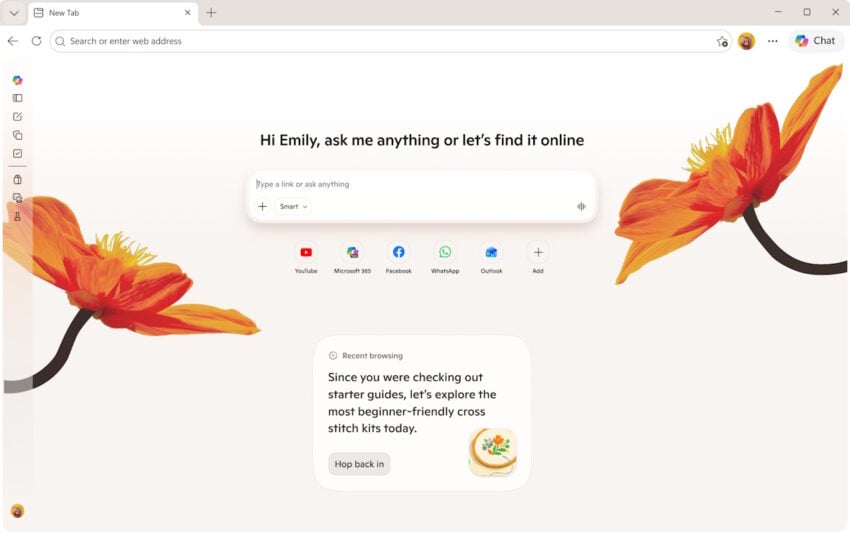
- Escalating Browser Bloat: Edge has faced heavy criticism for feeling cluttered. Adding interactive quizzes, writing assistants, podcast generators, and an AI-heavy redesigned “New Tab” page risks making the browser feel even heavier and more resource-intensive.
- The Illusion of Choice: Microsoft notes they are “retiring Copilot Mode” in favor of building these features directly into Edge. This essentially means AI is no longer a separate mode you enter, but a baked-in layer of your everyday browsing that you have to actively dodge if you don’t want to use it.
- The Fine Print (Regional Locks & Subscriptions): The blog heavily promotes these features, but the footnotes reveal a heavily fragmented rollout. “Journeys” on mobile and the “Writing Assistant” are currently US-only. Furthermore, features like generating podcasts or the new “Browse with Copilot” actions have usage limits that push users toward paying for Microsoft 365 Premium subscriptions.
The Verdict
To be fair to Microsoft, features like multi-tab reasoning and turning articles into podcasts are clever, practical uses of AI that solve actual user pain points. However, critically speaking, this update continues the trend of forcing AI into every corner of the Edge browser.
If you love AI, Edge is becoming the ultimate productivity powerhouse; if you just want a fast, lightweight, and private web browser, this update might push you further away.
I occasionally use Edge as a backup browser. If this AI infusion of things I don’t in any way want is not able to be removed or at least easily hidden (without my personal data still being sent to Microsoft behind the scenes), I’ll simply say goodbye to Edge.
“If you love AI, Edge is becoming the ultimate productivity powerhouse; if you just want a fast, lightweight, and private web browser, this update might push you further away.”
Mentioned before–the last time I used Copilot I discovered what useless tool it is when compared to Gemini. Recent work included taking pictures of my front stairs which need replacement. When uploading several views to Gemini, I was able to give input and come out with a wonderful “new” design idea along with a list of materials and estimated cost for my area. Copilot couldn’t even begin!
What I am discovering is each AI has different specialties; overall, Gemini does the most. ChatGPT is relatively effective, but slow. Copilot–don’t even bother. Mistral Chat AI–exceptional at emails that need to “deflate” issues and gaining insight with personal issues. Perplexity–another good all around AI tool. Claude, I haven’t been able to test. DDG–a joke at best.
I thought Microsoft had stated that it aimed to get closer to its users.
Reminds me Serge Gainsbourg’s song “Je t’aime moi non plus” when Microsoft says “I love you” and users respond “Neither do we”.
I’d never use a browser managed by AI, not even one supervised by AI, not to mention an OS in such conditions.
“If you love AI, Edge is becoming the ultimate productivity powerhouse; if you just want a fast, lightweight, and private web browser, this update might push you further away.”
Has Edge ever been lightweight to start with? It’s not that I’m pushed further away but that I’m on another planet.
Seems that everyone is believing the hype about LLM’s (here generalised into the new marketing term of “AI”)…
All reports I have read over the last few months indicate that LLM’s “get facts and analyses wrong” between 70% and 95% of the time – additionally most note that CoPilot is the worst performer where “accuracy” is concerned !!!
Worse still, where analysis of supplied data is required, most LLM’s introduce new data totally unrelated to the data the LLM has (allegedly) analysed…
The basic problem being that LLM’s cannot discern fact from fiction or opinion in combination with the fact that to correctly train ANY Neural Network (which LLM’s use) a Human Being MUST be involved – something ALL of the LLM providers HAVE NOT DONE (because of cost)
Avoid “AI” – it is a Plague…
Avoid M$ Edge because it is the MOST Virulent Plague
Normal browser? No.
AI-infected spyware? Yes.
“features like multi-tab reasoning and turning articles into podcasts are clever, practical uses of AI that solve actual user pain points”
– citation needed