If you are using Google’s Gmail email service, you may have stumbled upon Smart Features already, especially if you are using the web-version of the service. Up until recently, Smart Features did not include AI, but this changed in 2025.
Now, Google has baked its AI Gemini into the Smart Features of Gmail. Depending on where you live, Smart Features are enabled by default. Note that while Google claims that Smart Features are not turned on for user in the European Union (Japan, UK and Switzerland are the three other regions), they were in fact enabled in one of my accounts.
So, what do you get with Smart Features?
- Automatic email filtering and categorisation.
- Smart Compose.
- Smart Reply.
- Nudges (suggests emails to reply to or follow-up on)
- Summary cards above emails.
- Grammar, spelling, and auto-correction.
Some of these features are powered by AI nowadays and Gemini, Google’s AI, needs access to your data for the features to work. Google claims that personal data is not used for training and that everything is kept within the boundaries of the account.
However, if you prefer that Gemini does not access your emails at all, your only option is to turn of the Smart Features in Gmail.
Here is how that is done:
- Load https://mail.google.com/mail/u/0/#settings/general in a web browser.
- Scroll down to Smart Features in Settings under General.
- Remove the checkmark of the Smart Features box.
- Confirm the removal.
- Gmail restarts.
Smart Features should be turned off now.
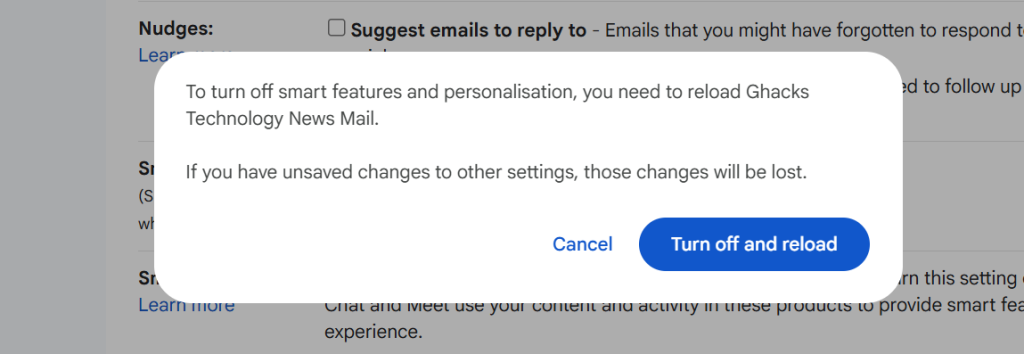
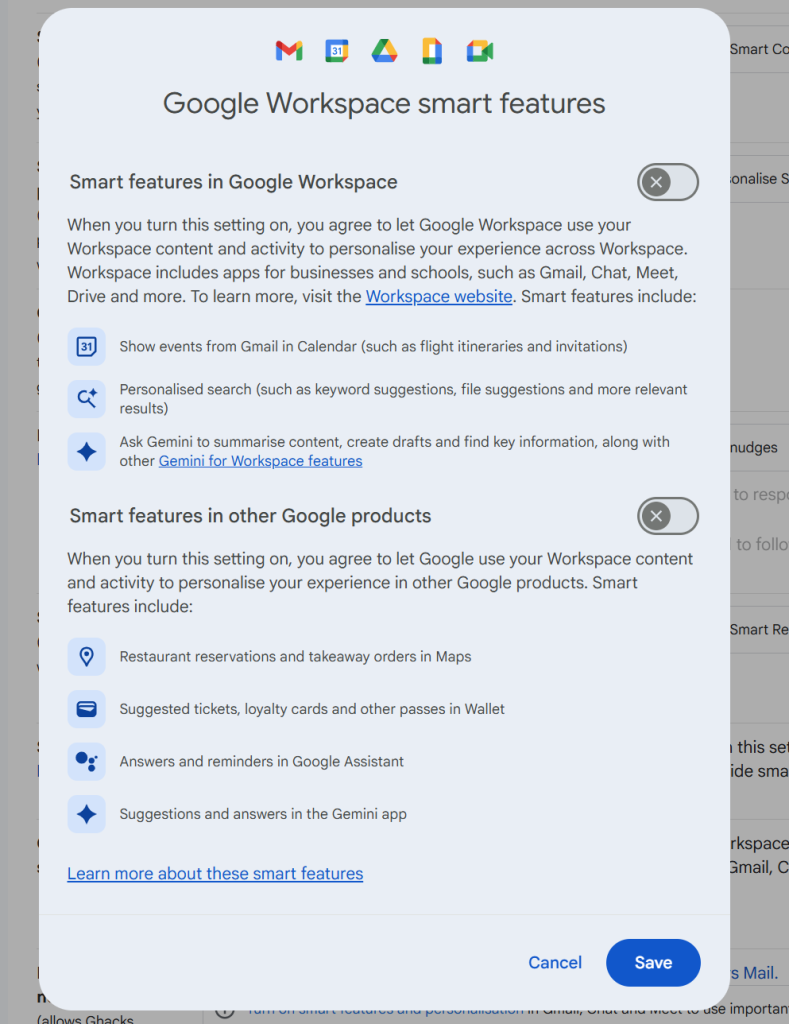
Note that you may also need to click on “Manage Workspace smart feature settings”, if the account is a Google Workspace account and not just a single Gmail account.
There you can turn off Smart Features for Gmail and other Google products.
Again, when you enable the feature you do not get any auto-corrections anymore as well. That is a trade-off for some, others may use the functionality that their browser provides for that anyway.
Now You: do you use Gmail as your mail provider or another service? Black Friday might be a good option to make a switch, as plenty of deals are live already or will be offered in the coming weeks.
I use Gmail i have used it since it was first available. I just want to remove the simmary cards above the emails on my phone as these take up to much space, and make it so I have to scroll to see the actual important parts of the emails. Guess I will try the change when I get home from this trip on the Work space and see if it affects the phone.
Well, this is all part of the great Google data acquisition plan which has existed since they started “reading” your emails. Of course, they don’t physically read them, but rather they look for specific words which are tied to their advertisers products. If one of those is recognized, up pops an ad!
Now let’s get AI in on the act om the premise of giving users something for free. Except it’s only free if you paid for it with your data! The more data you give them the more ads you see.
There are plenty of worthwhile alternatives around if only users considered looking for them. Just don’t use Google as your search engine because even Google’s own CEO admits it isn’t trustworthy: https://www.theguardian.com/technology/2025/nov/18/alphabet-boss-sundar-pichai-ai-artificial-intelligence-trust