Chipp.in Tech News and Reviews

Windows, Security & Privacy, Open Source and more

Menu
  • Home
  • Windows
  • Security & Privacy
  • Gaming
  • Guides
  • Windows 11 Book
  • Contact
  • RSS Feed
Menu

Tag: windows 11

elevate

What you need to know about Sudo for Windows

Posted on February 11, 2024February 11, 2024 by Martin Brinkmann

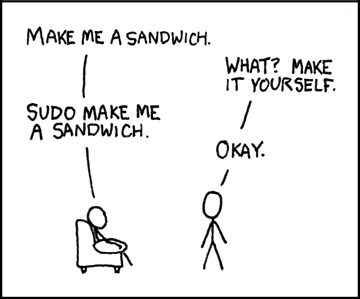
The latest Windows 11 build introduces the sudo command to the operating system. Sudo plays an essential role on BSD, Linux, and other Unix-like systems as it allows users to run commands as another user. The most common application of sudo is to run programs as the superuser.

Microsoft describes its implementation of Sudo for Windows in a single sentence:

Sudo for Windows provides a new, yet familiar way to elevate processes directly from the command-line.

This is actually all you need to know about Microsoft’s implantation. In other words, you use sudo to elevate command line instructions.

A detailed article on the Windows Command Line Dev Blog provides additional information on Sudo for Windows.

Sudo for Windows: the details
Sudo for Windows is only available in the latest Windows 11 Insider Preview build 26052. Twitter user Bob Pony discovered that you may use Sudo for Windows on older versions of the operating system already as well. Support goes all the way down to Windows 7.

While not recommended, you may download the Sudo for Windows application from the linked post and add it to the System32 directory.

The feature is not enabled by default. You may enable it by running the command sudo config –enable normal from an elevated command prompt. Replace “normal” with one of the other options below, if you prefer those.

The application supports three states:

  • In a new window (forceNewWindow) — runs the command in a new elevated window.
  • With input disabled (disableInput) — runs the command without input option in the window it was triggered from.
  • Inline (normal) — runs the command from the same window it was triggered from. Most similar to the sudo experience on *nix systems.

You find these options under System > For developers in the Windows Settings. Note that the options are not available if you copied the application manually to the System32 folder.

Tip: use the command sudo -h to display all available commands in the console.

Here is the output at the time of writing:

C:\Users\Martin\Downloads\sudo>sudo -h
Sudo for Windows

Usage: sudo [OPTIONS] [COMMANDLINE]… [COMMAND]

Commands:
run Run a command as admin
config Get current configuration information of sudo
help Print this message or the help of the given subcommand(s)

Arguments:
[COMMANDLINE]… Command-line to run

Options:
-E, –copyEnv Pass the current environment variables to the command
–newWindow Use a new window for the command
–disableInput Run in the current terminal, with input to the target application disabled
-h, –help Print help (see more with ‘–help’)
-V, –version Print version

Using Sudo for Windows

Sudo for Windows

Just prepend “sudo” in front of the command to run it elevated. The command sudo wsl.exe –install installs the Windows Subsystem for Linux. Windows would refuse to run it in an unelevated command prompt window.

With sudo, it displays an UAC prompt. Accept the prompt and the command is executed on the system. What happens next depends on the selected configuration.

  • New window — Sudo for Windows launches a new elevated console window and executes the command in that window.
  • Input closed and Inline — Sudo for Windows launches a new elevated sudo.exe process. The original sudo command establishes an RPC connection with that new process.

Closing Words

Sudo for Windows is open source. Microsoft published a new repository on GitHub that interested users may follow.

Microsoft confirms Windows 11 version 24H2 as the 2024 feature update

Posted on February 9, 2024February 9, 2024 by Martin Brinkmann

Last year, rumors began to emerge about a new version of Windows that would focus heavily on AI. Microsoft had just begun its AI push, adding Copilots everywhere. Panos Panay, then leader of Surface and Windows teams, left the company in the same year. Panay was replaced by Yusuf Mehdi.

Windows 12, the name that Microsoft never confirmed officially, was said to focus heavily on AI. This went hand-in-hand with the AI PCs for Windows. One of the requirements of these PCs was an integrated chip, neural processing unit, to speed up AI processing on these devices.

The leadership change and the success of AI products at Microsoft may have played a role in Microsoft’s decision to postpone the release of Windows 12.

The company released a new build to the Insider channel this week. This build introduced a few new features, including sudo.

The release notes include confirmation that the 2024 update for Windows 11 will be Windows 11 version 24H2.

Here is what Microsoft reveals in the release notes:

Starting with Build 26-xx today, Windows Insiders in the Canary and Dev Channels will see the versioning updated under Settings > System > About (and winver) to version 24H2. This denotes that Windows 11, version 24H2 will be this year’s annual feature update. As mentioned here, Windows 11 will have an annual feature update cadence that releases in the second half of the calendar year.

While this does not include confirmation that Windows 12 won’t be released this year, there is no indication that Microsoft is preparing another operating system release in 2024. It is possible that Microsoft’s initial plans were to release the functionality of the feature update as Windows 12, but that it changed its mind.

Windows 11 version 24H2

Windows 11 version 24H2 is the feature update for Windows 11 in 2024. It is still assumed that the update will focus heavily on AI, but recent changelogs reveal little about the functionality that Microsoft plans to add.

Rumors suggest that Microsoft could launch an improved version of Copilot on Windows. The current iteration lacks any meaningful Windows-specific functionality, which is why users disable Windows Copilot on their devices. This could change, but Microsoft has not released the updated version for testing yet. For now, Copilot on Windows is more or less identical in functionality to Copilot on the Web.

Microsoft has a few months left before the release in the second half of 2024. It is possible that main AI improvements and tools are tested internally only at this time. Microsoft would have to integrate them into preview versions eventually though. This has to happen in the coming months.

AI PCs may have specific requirements, including an NPU. It seems highly unlikely that Windows 11 version 24H2 will only be available to devices with such a chip. It would block updates for the vast majority of systems and fragment the userbase even further.

More likely is that certain features are limited to devices with a NPU or work a lot better on these PCs.

Closing Words

As it stands, there will be a single major Windows release in 2024. It won’t be Windows 12, but Windows 11 version 24H2. Windows 12 may not be off the table though.

Next year will be interesting. It is the year that support for Windows 10 ends officially. While customers may extend support for several years, for a price, it may also be the perfect year for a Windows 12 release.

After all, with Windows 10 gone, there is only Windows 11 and hundreds of millions of Windows 10 devices that cannot be upgraded to the new operating system.

Now You: what do you expect from Windows 11 version 24H2?

Is the main purpose of Windows 11’s Settings Home page advertising?

Posted on February 4, 2024February 4, 2024 by Martin Brinkmann

I never really liked the Home page of the Settings app that Microsoft introduced last year in Windows 11. Back then, I described it as half promotion half pointless.

Windows 11 users who open the Settings app see the home page by default. It features a mix of quick settings, which Microsoft calls recommended, account information, and, in some cases, promotions.

These promotions focused on OneDrive cloud storage and Microsoft 365 up until now. One ad unit displays “Try Microsoft 365” to the user, if no Microsoft 365 is detected.

Microsoft 365 is a subscription service that unlocks additional cloud storage and gives users access to the most recent versions of Microsoft Office. A subscription includes other benefits, such as premium templates or a dedicated Microsoft Defender app.

Now it appears that Microsoft is adding another ad unit to the home page. Discovered by Twitter user PhantomOcean3, the new unit promotes the Microsoft Copilot Pro subscription.

Microsoft Copilot is part of Windows. Operating system users may launch it with a click on the Copilot icon on the taskbar or the keyboard shortcut Windows-C. Soon, they may also use the dedicated Copilot key on keyboards of select devices to do so.

Those who do not require Windows Copilot may disable it.

Get Copilot Pro

The new unit is not enabled by default at this time. It was spotted in development builds and it is unclear if and when it lands in stable versions. My guess is that it will land this year in Windows 11, maybe even as part of the upcoming Moment update.

The unit advertises Microsoft Copilot Pro. The subscription gives users priority access to Microsoft’s Copilot AI. It is available for $20 per month in select regions at the time of writing.

Copilot Pro gives users priority access to the AI. Apart from that, it gives users 100 boosts for Designer per day. Designer is an AI image creator and boosts prioritize requests. While boosts are not required to use Designer, using the tool without boosts may take longer.

The Settings home page

The Settings home page has the following sections:

  • Recommended Settings — displays recent and commonly used settings.
  • Cloud Storage — lists used and available cloud storage, powered by OneDrive.
  • Bluetooth devices — manage, add, and remove Bluetooth devices.
  • Personalize your device — option to change the color mode and a link to personalization.
  • Microsoft 365 — an advert to try Microsoft 365. Subscribed users see options to manage their subscription.
  • Microsoft Copilot Pro — an advert for the Copilot Pro subscription.

If you don’t count the Cloud Storage unit as an ad, you get two units on the page. This means that 1/3 of the page is used for advertisement. If you add OneDrive to it, you get 1/2 that is used for ads.

The non-ad units are not that useful. Recommended settings displays dynamic options. While these appear limited, most options are just a click or two away anyway on the system.

Hiding the home page in Settings

Windows users may hide the Windows 11 Settings home page. There is no toggle, though. To hide it, Windows 11 users need to add an entry to the Registry.

Here is how that is done:

  1. Open the Start Menu.
  2. Type regedit.exe and press the Enter-key.
  3. Confirm the UAC prompt.
  4. Navigate to HKEY_LOCAL_MACHINE\SOFTWARE\Microsoft\Windows\CurrentVersion\Policies\Explorer
    • Note: If one of the keys does not exist, create it with a right-click on the previous key and the selection of New > Key. Name it accordingly.
  5. Right-click on Explorer and select New > String Value.
  6. Name it SettingsPageVisibility.
  7. Double-click on the new entry and set hide:home as the value.
  8. Close the Registry Editor.
  9. Restart the system.

The home page of the Settings app is gone. Windows 11 opens the System page instead, which it used to in the past.

You may undo the change at any time by deleting the Registry key again.

Closing Words

The idea of a Settings home page is not bad in itself. It could display popular and often used preferences to the user. Customization options could further expand the usefulness of the Settings page.

It seems unlikely that this functionality is introduced in future versions of Windows.

Now You: do you use the home page of the Settings app?

Patch

0Patch patches Windows vulnerability that Microsoft did not consider “patchworthy”

Posted on February 1, 2024February 1, 2024 by Martin Brinkmann

Not every Windows vulnerability requires patching according to Microsoft. When Microsoft analyses reported vulnerabilities, it may conclude that a vulnerability does not meet the bar for servicing.

Exactly this happened to a security researcher recently who reported a Windows Event Log vulnerability to Microsoft. Successful exploitation of the vulnerability results in a crash of the Windows Event Log service. The vulnerability requires authentication but no special user privileges. Attacks may crash the service on local or remote devices.

The vulnerability affects Windows 10 and Windows Server 2022 devices according to the researcher. 0Patch discovered later that it affects more Windows systems. On the client side, all Windows operating systems starting with Windows 7. On the server side, all Windows server operating systems starting with Windows Server 2008 R2.

The researcher published a proof of concept of the vulnerability on GitHub. A short demo GIF is also available there.

0Patch steps in, creates free micro-patch

Micro-patching service 0Patch analyzed the issue. It discovered that the proof of concept was “remarkably simple” and that attacks did not take more than a second to execute.

The Windows Event Log service restarts if it stops, but this happens only twice according to 0Patch. Attackers may run the attack multiple times to stop it for the session.

No events are logged when the service is not running. This means that events cannot be read either while the service is down. 0Patch notes on its website that Windows keeps a separate record of security and system events when the logging service is down.

These are added to the log when it is up again. Company engineers discovered that the information persists across sessions, but that it gets lost when the system crashes.

To sum it up: a successful attack, which includes a crash of the system in the end, may prevent the logging of any events on the system. This makes forensic work difficult on attacked systems and may be exploited by malicious actors to cover their tracks even better.

0Patch writes:

During the service downtime, any detection mechanisms ingesting Windows logs will be blind, allowing the attacker to take time for further attacks – password brute-forcing, exploiting remote services with unreliable exploits that often crash them, or running every attacker’s favorite whoami – without being noticed.

0Patch created a free micro-patch that addresses the vulnerability in all affected versions of Windows.

The patch requires the installation of 0Patch Agent on affected systems. 0Patch continues to support some Windows systems that Microsoft does not support anymore. Windows 10 will also receive extended support by 0Patch, but also by Microsoft through its Extended Security Updates program.

Additional information, including vulnerability and patch details, are available on the 0Patch website.

Closing Words

Whether it is necessary to patch the vulnerability depends on risk assessment. Most home users are not targeted by sophisticated attacks, but this may be different for organizations.

The patch is free at the moment and it will stay that way. Only the release of an official patch by Microsoft may change that in the future.

video

Vividl: download videos from hundreds of sites on Windows

Posted on January 28, 2024January 28, 2024 by Martin Brinkmann

Vividl – Video Downloader is an open source tool for Microsoft Windows devices to download videos from hundreds of websites. The app uses the popular downloader youtube-dl / yt-dlp in the background. It supports downloads of video or audio files from hundreds of sites.

Most video streaming sites do not want you to download videos. Prime reason for this is monetization as offline videos cannot be monetized. Some services support video downloads, but often only as premium features. Google’s YouTube, for example, supports downloads, but restricts them to YouTube Premium subscribers.

There are quite a few reasons why you may want to download videos. Here is a short list:

  • To watch the video (later) when there is no Internet connection or no reliable Internet connection.
  • To watch a higher quality version of the video, which the Internet connection is incapable of streaming.
  • To watch videos without ads. Tip: you may bypass YouTube video ads without adblockers.
  • To listen to the audio of a video only.
  • For backup purposes.

Vividl: the basics

Vividl Video Downloader interface

You may download the latest version of the video downloader from its GitHub project website. The app runs on Windows 7 and newer versions of the operating system.

The developer lists two dependencies: .NET Framework 4.8 or higher, and Microsoft Visual C++ 2010 Redistributable Package. Downloads for both are linked on the project website, if needed.

Windows may throw a SmartScreen error when you try to install it. The app checked out fine on Virustotal, which suggests that this is thrown only because it is a new version.

The main program interface looks basic, but that is not necessarily a bad thing. Add a video by pasting its URL into the interface or through drag & drop. An auto import from Clipboard option is provided.

Vividl picks it up and displays information about it after a brief moment.

The main interface acts as the download queue but also download list. There is no option to separate these, which would help manage larger lists of videos.

Downloading videos

Vividl video and audio quality

All videos added to the video downloader are listed in the queue by default. Several download-related options are displayed there.

The default output format is mp4 video and a default quality is selected. Both options are customizable. Vividl supports webm, avi and mkv formats on the video site next to mp4.

A click on the tool icon, which is adjacent to the format button, displays all available video and audio qualities. Here you may select the desired output format and quality manually. You may need to scroll to find specific options, as the lists are not necessarily sorted by size or resolution.

There are options to download video and audio files separately, or just one of the two formats.

The downloading happens in the background. Vividl downloads three files simultaneously by default. You can change this in the program settings.

The settings list several interesting options, some of which automate the experience. Here is a short list of important options:

  • Change the default video resolution and video format. The defaults are mp4 and 1080p.
  • Always download the best quality.
  • Enable GPU acceleration for video encoding, if supported.
  • Instead of overwriting existing media, skip it or rename it.

Verdict

Vividl is a straightforward video downloader for Windows. It supports hundreds of video sites and works really well. Both manual and automatic options work reliable.

To conclude, if you need a well-designed video downloader, this is a program that you may want to test. I still prefer Internet Download Manager, but this is a commercial program that supports video downloads and also other file downloads.

Glow

Glow: open source Windows system analysis software

Posted on January 27, 2024January 27, 2024 by Martin Brinkmann

Glow is an open source program for Microsoft Windows devices that displays a wealth of information about the system it is run on.

What are the features that it offers and how does it compare to popular alternatives such as Speccy? Read on to find out.

Glow: a system analyzer

Glow Windows System information

Windows displays some information about a system’s hardware and software. The information is scattered all over the place. Even the System Information tool lacks some information that third-party tools offer.

Glow is a free portable app hosted on GitHub. You may run it right after extracting the ZIP archive on the local system. The developer says that it is compatible with Windows 10 and 11 only. The app does require the .NET Framework 4.8.1, which should be installed on most devices.

The left pane of the program lists the various sections, the right pane the information. Operating system information displays important information about the Windows system. This ranges from the operating system build and architecture to the user account, Windows edition and lots more. Scroll down to find information about the system’s uptime, last shutdown time and date, or the system and boot partitions.

Select another section on the left, e.g., motherboard, processor or graphics card, and Glow displays information about immediately.

To name just a few important bits of information: motherboard model and BIOS version, whether a TPM chip is available, the model of the graphics card and the driver date, the RAM type and amount, number of RAM slots, and information about all connected hard drives.

There is a lot to explore, especially for users new to these kind of tools. The sections function as entry points. There is no search, which might help find information quickly.

Glow supports exporting information to txt or html files. The tools section lists a few options:

Other Tools

  • SFC and DISM Automation Tool — this uses built-in Windows tools to find and repair corrupt system files. Microsoft plans to introduce a Windows Update repair feature in future versions of Windows.
  • Cache Cleanup Tool — clean several memory caches to free up RAM.
  • TRIM Audit Tool — this tool checks the TRIM status, on or off, and allows users to enable TRIM if off. TRIM is used to free blocks on Solid State Drives, which opens them up for writing.
  • System Software Tool — links to 10 system tools, including Autoruns, Display Driver Uninstaller, and graphics cards driver download repositories.

How Glow compares to Speccy

The free version of Speccy displays information about the system. There is a professional version, which includes automatic updates and priority support.

Speccy needs to be installed before it is ready for use. There used to be an official portable version, but it has been removed by the developer.

Speccy displays information about the computer’s hardware on launch. This includes key information, but some is missing. As an example; while Speccy lists the operating system and edition, it does not list the build number. The tool focuses on hardware and devices only. Glow, on the other hand, displays installed drivers. Temperature readings are supported by Speccy, but not by Glow.

In closing, both programs offer features that the other does not support. Speaking of support, the developer of Glow announced that Glow is feature complete. There won’t be any future updates of the app anymore. It is possible that the project gets forked, as it is open source, but it is unclear at this point.

Verdict

Glow is a powerful system information tool for Windows. It is excellent for looking up information, e.g., to find out if you can put more RAM into the system or can replace the existing graphics card with a new one.

Summing up, there is little not to like about the tool. The missing temperature information is probably the main feature missing from it. Consequently, it is an excellent program for Windows users to look up system information. Nevertheless, the end of development announcement may cause issues in the future.

Now You: do you use system information tools?

European Union

Microsoft Edge and Bing insignificant for regulation in the EU

Posted on January 24, 2024January 24, 2024 by Martin Brinkmann

The European Union’s Digital Markets Act (DMA) will come into force in March 2024. The EU identified several products and services as gatekeepers. These fall under the new regulation.

One of the main goals is to level the playing field and avoid abuses of power. Six companies and 22 services and products are gatekeepers according to the EU.

The EU opened four market investigations into Bing, Edge, Microsoft Advertising and iMessage to determine if these services will be added to the list of gatekeepers.

A Bloomberg report now claims that all four won’t be considered gatekeepers by the European Union. The report cites “unnamed officials at the EU as “people familiar with the matter” as its source.

According to Bloomberg, the four mentioned services are “dominant enough to be hit by the regulation”. While some of the services are popular in other regions of the world, Apple’s iMessage or Microsoft’s Bing are popular choices in the United States, they are not dominant enough in the European Union.

Microsoft Bing, for instance, has a market share of less than 4% in Europe according to Statcounter. Similarly, Microsoft’s Edge web browser has a market share of less than 6% in Europe according to the company.

While these stats are not 100% accurate, they make the argument for adding these services to the list of gatekeepers difficult.

The final verdict is expected in February 2024.

No free pass for Microsoft

Microsoft’s Windows operating system and its LinkedIn social network are gatekeepers, according to the EU.

Microsoft announced changes that it plans to make available to users from the European Union and European Economic Area exclusively in the coming months.

The changes give users control over certain features of the operating system. They include the ability to remove Microsoft Edge and Bing Search in Windows, among other changes.

Microsoft’s Windows operating system ships with Microsoft Edge as the default browser and Bing Search included. Some links open only in Edge by default, but this is changing soon for users from the EU.

To sum it up, Windows users from the EU and EEA will gain control over Edge and Bing, even though both services are not (likely) considered gatekeepers.

The EU’s target is Windows. Specifically, Microsoft’s use of the operating system to favor its services, Bing Search and Edge are just two examples, over others.

Would Microsoft’s web browser stand where it is standing right now market share wise, if not for the integration and pushing in Windows?

Closing Words

Some Google and Meta products and services are also considered gatekeepers. Meta announced this week that it will give EU users control over data sharing between some of its services.

Google too is disabling data sharing between its services by default for users from the EU.

It is unfortunate that the rest of the world is not getting the same improvements.

Now You: what is your take on gatekeepers and the DMA?

Computers

How to back up Windows user profiles

Posted on January 20, 2024January 20, 2024 by Martin Brinkmann

Each Windows user has a user profile that holds customizations and personal files. Users may install software, download files or change the look and feel of Windows.

Backing up user profiles may not be something that most users are familiar with. There are full system backups after all, which include user profile data.

User backups may come in handy in some cases, however. Here are the two main cases:

  1. To migrate a user profile from one Windows device or installation to another.
  2. To back up a user profile for safekeeping.

Windows users who use a Microsoft account may have some of their customizations and files synced between devices. Not all data is synced on the other hand, including Win32 software installations or customizations of installed programs.

A backup of the user profile and the restoration of it on another device takes care of that.

Note that there are also specialized programs for copying settings. Appcopier is a free tool that does that. Note that Windows Backup backs up user data as well, but not much more.

Super Grate: back up Windows user profiles

Back up Windows user profiles

Super Grate is a free open source tool for Windows to back up Windows user profiles and to restore the backups. Its main purpose is migrations from one device to another. It runs on Windows 7 to Windows 11 devices.

The program requires no installation. Just run the program after download to get started. Windows may throw a SmartScreen error, which you can skip. The application is safe to use. Note that Super Grate requires elevation.

The interface looks simple enough, but there is a roadblock for users who never worked with computer names and domains.

Backing up profiles

To back up a profile, it is necessary to enter the name, and optional domain, of the computer. Open Settings > System to get the name of the computer. It is listed at the top of the page.

Name of Computer

Type the name of the computer into the source computer field and activate the “list source” button. The program will return all user-created profiles but no standard profiles.

The name, creation date and last modification date of each profile is listed by the app.

Select one or multiple profiles and activate the start button to back up these profiles. It may take some time to back up profiles. Much of it depends on the size of the profile. There is a progress bar that reveals the progress of the entire process.

Restoring profiles

Restoring a Windows user profile works similar to the backup process. Type the computer name into the destination computer field and hit the “list store” button afterwards. To restore on the same computer, type the computer name again.

Super Grate should return all backed up profiles. Select the profile that you want to restore and then Start to restore the user profile on the device.

Tip: you may rename a Windows user profile by right-clicking on it and selecting the “set destination user name” option from the context menu.

Full migrations

To migrate a user profile from one computer to another, it is necessary to fill out both the source and destination computer fields. These need to be different and connected to the same network.

Consult the official documentation for additional guidance. It includes information about using Active Directory, deleting profiles and more.

Verdict

Creating a backup of a Windows user profile is a simple task with Super Grate. It is a useful when you want to migrate the profile from one device to another, or for back up purposes.

User profiles may become corrupt, for instance after a virus attack or accidental deletions of important files.

Extract

How to properly extract Zip files on Windows 11

Posted on January 18, 2024January 18, 2024 by Martin Brinkmann

Zip archives are widely used on today’s Internet and on desktop computer systems. The Zip archive format is popular and used for distributing files, programs or saving space.

Archives contain one or more files. A Zip archive needs to be extracted, which is called unzipping.

Windows 11 supports the Zip archive format by default. It can extract contents of archives on the system. A third-party tool, like WinZip, WinRar or 7-Zip, is not required anymore for that purpose.

While it is a useful feature, it is far from perfect. Current versions of Windows 11 may be used to create and extract Zip archives. Windows 11 supports extracting other archive types, including Rar.

Last year, I ran benchmarks to find out how well the native functionality compared to that of popular archive apps. While it works, its performance is much slower than that of the tested third-party tools.

How to unzip files in Windows 11?

You may use the File Explorer context menu to extract archives. The option is available for all supported archive formats, including zip and rar.

Step 1: Open File Explorer on the system and navigate to the folder that contains the Zip archive. It may be in the Downloads folder if you have downloaded it from the Internet.

Extract Zip archive

Step 2: Right-click on the Zip file and select the Extract all option from the menu that opens.

Extract menu

Step 3: A window opens. You may change the location the files will be extracted to. The default is a folder that matches the archive file’s name in the same location as the archive.

The option “show extracted files when complete” opens that folder. It is enabled by default, but can be unchecked.

Select Extract to unzip the archive to the selected folder. The process may take a while to complete.

How to view the contents of Zip archives

You may also open archives on Windows 11 before you extract them. This is useful if you want to see the files of the archive or access some of the files.

Open a Zip archive in Windows 11

Double-click on the Zip archive in File Explorer to display its contents. File Explorer lists all folders and files that it contains.

You may browse them or use the built-in search feature to find specific files.

Your Options:

  • Double-click on any file to open it. This works only for files like .txt or .png that have a viewer on the system.
  • Right-click on a file or a selection to get options to copy, cut or delete it. Copy may be used to extract only the selected files. Cut is like copy, but it removes the file from the archive. Delete removes the file from the archive.
  • Select the “extract all” button in the toolbar to extract all files. This works similarly to extracting archives using the context menu.

Tip: You may edit the path in File Explorer to view any archive directly. Just add the archive’s name and file extension to it, e.g. C:\Users\Martin\Downloads\Test\iview466_plugins_x64.zip

Use of third-party tools to unzip files

WinRAR extract files

Third-party archive apps offer several advantages over the native functionality of Windows 11. Apart from the already mentioned speed, which translates to minutes or hours saved when extracting and creating archives, third-party apps support advanced features.

Advantages include support for additional archive formats, better archive creation support and more.

Extracting archives works identical once the third-party app is installed on a Windows 11 device.

Right-click on the archive and select the extract option. If you have installed WinRAR, you select WinRAR > Extract Files.

Command line and PowerShell options

Most Windows users do not need to extract Zip archives from the command line or PowerShell. The process is not faster. In fact, most users may find it complicated, as it requires parameters.

Still, some may find the information useful.

Command Prompt

Tar Command

Open a Command Prompt window in the location of the archive file. If you are in File Explorer, replace the location path with CMD and press the Enter-key. This launches a Command Prompt window in the location.

Now run the command tar -xf ARCHIVENAME, e.g. tar -xf iview466_plugins_x64.zip.

This extracts the archive to the current directory.

PowerShell

You may open a PowerShell prompt from Start. Just open Start, type PowerShell and select the result.

Navigate to the folder of the Zip archive using the CD command.

Once there run the command Expand-Archive ARCHIVENAME to extract it, e.g. Expand-Archive iview466_plugins_x64.zip.

Closing Words

Third-party software offers several advantages over the built-in Zip extraction capabilities of Windows 11. In fact, the only advantage Windows 11’s native functionality has is that it is available immediately.

If you extract archives regularly or need advanced options, then you may want to use third-party tools for that.

Now You: do you use archive apps?

Colors

How to customize colors in Windows 11

Posted on January 17, 2024January 17, 2024 by Martin Brinkmann

Microsoft’s Windows 11 operating system supports a wide range of color settings. Users may customize the color for window borders and title bars, the Start button and the taskbar.

Microsoft distinguishes between color modes, which refers to dark, light and custom modes, and individual color settings of each mode. This has not changed in the recently released Windows 11 version 23H2 update.

The very first choice that users of Windows 11 have to make is whether to enable light, dark or custom mode.

Here is how they differ:

  • Light Mode — designed to work well during daylight hours and in bright environments. This mode supports accent colors for window title bars and borders.
  • Dark Mode — designed for low-light environments, e.g., at night. Changes the colors of the Start Menu, Taskbar and Action Center, supports changing colors for windows borders and title bars.
  • Custom Mode — custom settings that may mix Dark and Light mode settings.

Changing Color Modes on Windows 11 devices

Windows 11 Colors

Follow these step to set the color mode on a Windows 11 system:

  1. Open Start and select Settings. You may also use the keyboard shortcut Windows-I to open the Settings app this way.
  2. Select Personalization in the sidebar menu and then Colors on the page that opens.
  3. Activate the menu next to “choose your mode” and pick one of the available options. These are light, dark and custom.

Changing Light Mode colors

Light Mode color options Windows 11

Select Light under “choose your mode” to enable light mode. If the mode was set to custom or dark, you should notice a return to lighter colors immediately.

Scroll down to Accent color. You may set it to manual or automatic. Set it to manual to pick one of the listed “recent colors” or “Windows colors”, or select “View colors” beneath the options to pick a color from the entire color range.

The selected color is set automatically. Note that the option to show the accent color on Start or the taskbar is disabled in light mode.

You may enable or disable “show accent color on title bars and windows borders” to show the selected color there.

If you set the color to automatic, Windows picks the color based on the wallpaper or open applications. Some users may find this confusing, as the color changes regularly when automatic is selected.

Changing Dark Mode colors

Dark mode supports a wider range of color options than light mode. It is unclear why Microsoft decided to restrict light mode in this regard.

After you have selected Dark as the preferred color mode on the system, you may also set the accent color to manual or automatic. The same color options are provided in this regard.

The accent color is shown on the title bars and windows borders by default. You may also enable “show accent color on Start and taskbar” to show it there as well.

Custom Color Mode

Custom Color Mode Windows 11

This mode gives you the option to set light or dark color modes for Windows and apps individually. You may set Windows to dark mode and apps to light mode, or vice versa.

How to configure less distracting color settings

Depending on how you configure colors on Windows, you may get a colorful system or one that is not as distracting. If you work on Windows 11, you may want to tone down colors on the system.

You may do so in all three color modes. The main recommendation is to disable all other features that Windows supports.

These are:

  • Transparency effects — these make Windows and surfaces translucent.
  • Show accent color on Start and taskbar — to show the taskbar and Start in a single color that uses the selected color mode as its base.
  • Show accent color on title bars and windows borders — to hide accent colors on windows.

It does not really matter which accent color you select, or if you set it to automatic or manual, if you disable all other settings on the page.

Now You: what is your preferred color mode?

  • Previous
  • 1
  • …
  • 13
  • 14
  • 15
  • 16
  • 17
  • 18
  • 19
  • Next

Support This Site

If you like what I do please support me!

Any tip is appreciated. Thanks!
  • April 2, 2026 by Martin Brinkmann Would you trust AI to handle your email inbox?
  • April 1, 2026 by Martin Brinkmann Google Chrome update patches another 0-day vulnerability
  • March 31, 2026 by Martin Brinkmann A new Windows team promises to bring native apps to the operating system
  • March 30, 2026 by Martin Brinkmann Google outlines the new flow for sideloading Android apps
  • March 29, 2026 by Martin Brinkmann Microsoft pauses update KB5079391 for Windows 11 to investigate an issue

About

We talk, write and dream about Technology 24/7 here at Chipp.in. The site, created by Martin Brinkmann in 2023, focuses on well-researched tech news, reviews, guides, help and more.

Legal Notice

Our commitment

Many websites write about tech, but chipp.in is special in several ways. All of our guides are unique, and we will never just rehash news that you find elsewhere.

Read the About page for additional information on the site and its founder and author.

Support Us

We don't run advertisement on this site that tracks users. If you see ads, they are static links. Ads, including affiliate links, never affect our writing on this site.

Here is a link to our privacy policy

©2026 Chipp.in Tech News and Reviews