Chipp.in Tech News and Reviews

Windows, Security & Privacy, Open Source and more

Menu
  • Home
  • Windows
  • Security & Privacy
  • Gaming
  • Guides
  • Windows 11 Book
  • Contact
  • RSS Feed
Menu

Tag: outlook

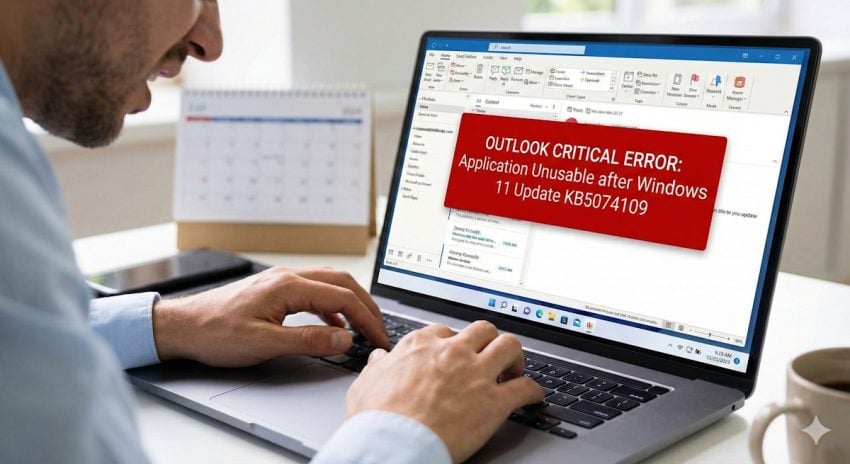
Critical Bug: Latest Windows 11 Update Renders Outlook “Completely Unusable”

Posted on January 19, 2026January 19, 2026 by Martin Brinkmann

Microsoft’s January 2026 Patch Tuesday update (KB5074109) is causing classic Outlook to hang, freeze, and fail to restart. Find out if your system is affected and how to restore functionality.

The first patch day of the year 2026 won’t go down in history as one of the smoothest. While system administrators expect minor inconveniences with each cumulative update, the January patch is taking things to the extreme: Microsoft already confirmed an insomniac bug and broken RDC functionality for some users.

Turns out, there is another issue that is plaguing users on Windows.

The Classic Outlook POP issue

  • Support page: Classic Outlook POP account profiles hang and freeze after Windows 11 update to KB5074109
  • What is affected: Outlook classic on Windows does not play with POP accounts currently.
  • The symptoms: Microsoft mentions hangs and freezes, and also that Outlook won’t restart once it has been closed. The company admits that it does not “have all the symptoms yet”.
  • Official fix or workaround: None at the time of writing.

Uninstalling the latest cumulative update for Windows 11 resolve the issue according to reports. However, doing so leaves the system open to attacks. One of the patches included in this month’s security update addressed a 0-day issue that is actively exploited.

  1. Go to Settings > Windows Update.
  2. Click on Update history.
  3. Scroll down and select Uninstall updates.
  4. Locate KB5074109 in the list.
  5. Click Uninstall and restart your computer.

Note: You may need to pause updates for a week to prevent Windows from automatically reinstalling it immediately.

If you do so, I recommend that you check the support page for updates to find out when the issue is fixed so that you may install the security update on the Windows machine again.

Other options include using different Outlook apps. Since Microsoft refers to classic Outlook as being broken, the new Outlook app and the Outlook mobile app for Android should continue to work as usually. Both support POP3, but require that the mail account is added to the program.

If switching from POP3 to IMAP is an option, this should also resolve the issue.

Microsoft plans to give Outlook an AI infusion, make AI the user’s body double

Posted on October 26, 2025October 26, 2025 by Martin Brinkmann

I have to admit that I never really used Outlook as my main email driver. While I do have an Outlook account and used it sporadically, mostly for testing purposes, I stuck to the likes of Eudora and Thunderbird.

Recently, Microsoft has given Outlook an overhaul that was not received too well by many of its users. Basically, Microsoft turned Outlook from a classic desktop app into a web-based version that is pretty much just a wrapper. In some years, Microsoft plans to replace the Office-included version of Outlook with that new version.

According to Tom Warren at The Verge, Microsoft has shuffled leadership around and Outlook’s team appears to be under new leadership now to lead it into the AI era.

The new leader is Gaurav Sareen, corporate vice president of global experiences and platform at Microsoft. In a memo to the team, Sareen shared his vision for the future of Outlook. It should not come as a surprise that AI is at the forefront of everything.

Think of Outlook as your body double, there for you, so work feels less overwhelming and more doable because you are not facing it alone. With Copilot, this body double becomes even more powerful. Copilot turns Outlook from a set of tools into a partner that acts.

In other words, Outlook will introduce AI that reads your emails, helps you organize them, writes email drafts for you, and, Microsoft hopes, will help users spend less time doing tasks that they dislike or think are a waste of time.

The big question is, does the majority of Outlook users want this? Will they use the AI features in Outlook? It probably depends to a large degree on how well they are integrated and how useful they are. Privacy is another topic, which Microsoft fails to address regularly to a degree that answers all the main questions sufficiently:

  • What data may the AI access.
  • How and where does it process the data?
  • Who can access the data?
  • Is the data used for anything other than the user’s personal AI tasks?
  • Can the AI report data to Microsoft?

Microsoft won’t convince most privacy-conscious users to give it a try even, but most probably do not use Outlook to begin with unless required to.

Now you: would you start using AI features in your email client, if it supported them? Which would you like to see, if any?

Outlook Error Startup MSLS70.dll

Microsoft conveniently suggests to use the new Outlook if you encounter the msls70.dll error in classic Outlook

Posted on September 17, 2024September 17, 2024 by Martin Brinkmann

Microsoft confirmed a new issue that is affected classic Outlook and also Word and other Office applications.

When you start an affected app, you may receive the error message “The required file msls70.dll cannot be found in your path. Install Microsoft Outlook again”.

A click on the OK button, the only available button, hides the error message only. Any attempt to launch Outlook on the system is met with the same error message.

Did you know? The new Outlook may transfer third-party logins when using the sync feature.

Microsoft says that it is working on a solution for the issue. In the meantime, it recommends accessing the emails using the new Outlook or the web-based version of Outlook.

Maybe it is just my cynical-self speaking, but the timing seems awfully convenient. When Microsoft launched the new Outlook client, it made it clear that this app would become the only client of Outlook one day.

It put an end to Mail and Calendar in Windows, but also announced that the classic version of Outlook would go away one day. While that day is years away, it is something that Outlook users need to be aware of.

The error message suggests that Outlook cannot find a DLL that it needs to run. Microsoft’s support page offers no explanation for the issue. Did an update cause the error? If not, what caused it and why is the DLL missing?

A thread on Reddit suggests that you could fix the issue temporarily by using online repair.

Here are the required steps (you need an active Internet connection):

  1. Open the Start menu.
  2. Select Settings.
  3. Go to Apps > Installed Apps in the Settings window.
  4. Locate Microsoft 365 in the list.
  5. Select the three-dots menu.
  6. Activate the Modify option.
  7. Confirm the UAC prompt that appears.
  8. Switch to “Online Repair” and select the repair button.
  9. Confirm the action by selecting the repair button on the next screen as well.
  10. Wait for the process to complete.

This should fix the startup issue temporarily. Try starting Outlook on the affected device. It should work now.

The process is highlighted in a video on YouTube as well.

There you have it. Use online repair to fix the issue or wait for Microsoft to fix it. No ETA given though at this point.

Do you use Outlook? Or do you prefer a different email client on desktop PCs? Feel free to leave a comment down below!

approve sign in request

You can now sign in to Microsoft accounts using Outlook

Posted on April 9, 2024April 9, 2024 by Martin Brinkmann

Microsoft’s Outlook app may now be used to sign in to Microsoft accounts and services. How useful is the new functionality?

Sign ins to accounts on the Web or locally on devices are still a major nuisance for users. If you follow security guidelines, you pick a secure unique password for each service, and preferably, enable two-factor authentication as well.

Passkeys promise an improvement, but most Internet services and operating systems do not support this yet fully.

Microsoft has now enabled authentication functionality in its Outlook app to improve the login flow and make it more secure for certain setups. Classic two-factor authentication options such as text messaging are insecure, as the code is submitted in clear text.

Using the Outlook app for authentication

The main idea here is to use Outlook to verify the sign in. It works similarly to Authenticator apps, including Microsoft Authenticator.

Here is the entire process:

  1. You submit your username and password to sign in to your Microsoft account. This can be in Microsoft 365, OneDrive, Teams, or even Microsoft Windows.
  2. Microsoft displays a number on the next screen and prompts you to check your Outlook app.
  3. You need to tap on the right number, out of three presented to you, in the Outlook app.
  4. You then need to allow this using biometric or PIN verification.

Why is Microsoft introducing the functionality?

Microsoft Authenticator offers this functionality already. Why then is Microsoft introducing it in Outlook? Microsoft does not say in the official announcement.

The most likely reason is reach. Microsoft Authenticator has over 100 million downloads on Google Play, which is impressive for such an app. Microsoft Outlook, however, has over 1 billion downloads on Google Play alone. While a good portion of these downloads are not active, it is still likely that the Outlook app has a bigger reach than the Authenticator app.

Microsoft can reach ten times as many users in Outlook. To make things even simpler, the company is enabling the new functionality automatically in the latest Outlook app.

Microsoft says:

This sign-in verification functionality will be automatically enabled when you use the latest version of the Outlook app.  

In other words, if you use the Outlook app on Android, it sounds as if you have two factor authentication enabled automatically for your account. I have the app installed, but cannot verify this at this point because of Microsoft’s rollout of the feature.

There is a chance that this functionality becomes available only to users who have two-factor authentication enabled already for their accounts. This would improve the process, if they use weaker verification options, such as text messages.

Closing Words

Microsoft’s Authenticator app offers advantages over the Outlook implementation. Microsoft notes that users of the Authenticator app can continue using it. The app supports adding different accounts as well, while the Outlook app is limited to securing Microsoft accounts.

Microsoft says that the functionality is rolling out to all Android users. An iOS update is in development already and will be launched in the future.

Do you use two-factor authentication to improve account security?

Microsoft confirms that the new Outlook may be transferring third-party logins

Posted on November 16, 2023November 16, 2023 by Martin Brinkmann

The new Outlook app by Microsoft will replace the apps Mail and Calendar on Windows, and the classic Outlook desktop app in the future. This app may transfer email login information to Microsoft Cloud servers, if users use IMAP or SMTP accounts. This happens only if the sync feature is enabled according to Microsoft.

Put plainly; email account logins and passwords are transferred to Microsoft if users set up third-party email accounts via SMTP or IMAP in Outlook and if syncing is enabled.

Microsoft’s statement

Microsoft explained in a statement to Heise Online that the synchronization of emails delivers a consistent user experience for all accounts added in Microsoft Outlook. One such feature is the ability to mark emails as read or unread.

Users of Outlook are informed about the features in a support article. What Microsoft fails to mention to Heise and also in the support article is that it is transferring and storing login information when sync is enabled.

Microsoft confirmed that it is storing access data of IMAP providers that use the BasicAuth method in encrypted form in the user’s mailbox. Basic Authentication is a method that HTTP user agents use to provide username and password when requests are made. It is considered insecure, but still widely used.

This means, nevertheless, that Microsoft is storing the login information using encryption for these type of accounts.

Email providers that use newer standards, OAuth for instance, are handled different. Login information of providers like Gmail or Yahoo Mail are not stored by Microsoft. Microsoft has no access to the password of the account according to the statement.

The OAuth token used for authentication is only accessible by the user and the Microsoft service that communicates with the target servers.

While Microsoft may not have access to the account password, it still owns the infrastructure that has access to the OAuth token. Heise comes to the same conclusion. Microsoft has access to authentication data that it can use, and uses, to access email accounts.

Microsoft’s Syncing notification

Microsoft informs users of Outlook about the synchronization functionality, but the notification does not reveal that access data is transferred when sync is enabled and certain email accounts are added.

Outlook users need to enable the synchronization before it becomes available. Each third-party account added in the Outlook app can be synchronized or not. Microsoft says that users need to accept the syncing with the Microsoft Cloud each time a third-party account is added.

Still, there is no clear information that account data is transferred to Microsoft when users enable the synchronization.

Microsoft states furthermore that it stores the account data for as long as the email client is used actively by the user. The Account Lifecycle Process determines when inactive account data is deleted.

Outlook users may delete the data when they delete their account and select the option to remove the data from all devices.

Closing Words

The new Outlook app is a work in progress and most users may want to stay away from it at least for now. It needs to mature and the fact that Microsoft is gaining access to account access data, at least in theory, is the icing on the cake.

Alternatives like the open source Thunderbird email client respect user data and are without doubt the better option, at least for now.

Support This Site

If you like what I do please support me!

Any tip is appreciated. Thanks!
  • March 2, 2026 by Martin Brinkmann Don't Bother with Windows 11's new Speedtest feature
  • February 27, 2026 by Martin Brinkmann Warning! That laptop on Amazon? It comes with temporary storage
  • February 26, 2026 by Martin Brinkmann "If your printer works today, it will continue to work": Microsoft corrects previous announcement
  • February 25, 2026 by Martin Brinkmann YouTube Premium Lite subscribers get background playback and downloads with a big "but"
  • February 24, 2026 by Martin Brinkmann Firefox 148.0 is out with its AI kill switch and support for Windows 7 and 8.1 comes to an end

About

We talk, write and dream about Technology 24/7 here at Chipp.in. The site, created by Martin Brinkmann in 2023, focuses on well-researched tech news, reviews, guides, help and more.

Legal Notice

Our commitment

Many websites write about tech, but chipp.in is special in several ways. All of our guides are unique, and we will never just rehash news that you find elsewhere.

Read the About page for additional information on the site and its founder and author.

Support Us

We don't run advertisement on this site that tracks users. If you see ads, they are static links. Ads, including affiliate links, never affect our writing on this site.

Here is a link to our privacy policy

©2026 Chipp.in Tech News and Reviews