Chipp.in Tech News and Reviews

Windows, Security & Privacy, Open Source and more

Menu
  • Home
  • Windows
  • Security & Privacy
  • Gaming
  • Guides
  • Windows 11 Book
  • Contact
  • RSS Feed
Menu

Tag: NVIDIA

Intel’s Nightmare Arrives in Q2: NVIDIA to Launch High-Performance ARM Chips for Windows

Posted on January 20, 2026January 20, 2026 by Martin Brinkmann

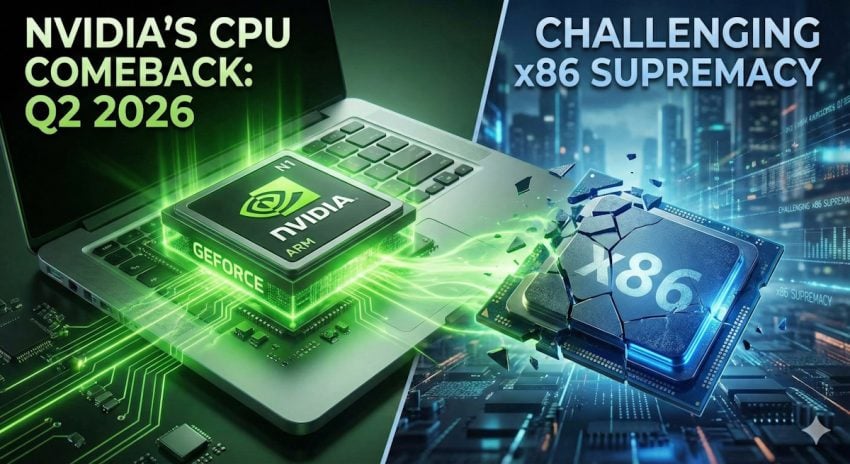
Intel’s and AMD’s nightmare has a release date. According to new reports, NVIDIA will debut its high-performance N1 and N1X consumer processors by Q2 2026, marking the company’s aggressive entry into the Windows laptop market.

The launch would end a long period of rumors and sets the stage for a major showdown, as NVIDIA attempts to replace traditional x86 CPUs with its own custom ARM architecture.

The report comes from the usually well-informed DigiTimes. Nvidia plans to release its first Nvidia N1X chip in notebooks in the first half of 2026 according to the report. DigiTimes reports further, that Nvidia has plans to release a second generation chip — N2/N2X — as early as the third-quarter of 2027.

Nvidia will follow the same business strategy that it has implemented for its graphics cards. It will create a reference design, which other manufacturers may customize.

It has been over a decade that Nvidia released a processor for Windows PCs. Back in 2013, Nvidia released the Tegra 4 processor for the Microsoft Surface 2 device, which ran on Windows RT 8.1.

We all know how this worked out. Windows RT was a colossal failure for Microsoft, in large parts due to its locked-down nature. Microsoft limited apps to the Windows 8 Store for the most part, which meant that users could not run any traditional Windows desktop apps on RT devices.

Windows on ARM has evolved significantly since the RT days. One of the main advantages of Windows 11 on ARM is support for classic Windows programs through emulation.

However, while Windows on ARM offers advantages in some fields, it does lag behind in others. Notably, it is gaming and legacy compatibility — think older PC hardware — that ARM has problems with.

For NVIDIA, the N1 launch represents unfinished business. More than a decade after the Surface 2 and the rocky Windows RT era, the company is returning to a landscape that has fundamentally changed.

The ultimate winners here are likely the consumers, as NVIDIA could provide the high-performance push that Windows on ARM needs to finally thrive. And while predicting the death of the x86 PC is premature, it is certain that Intel and AMD will be watching this release with bated breath.

Now it is your turn. Are your main systems still powered by AMD or Intel hardware, or do you use some with ARM processors already? Feel free to leave a comment down below.

Report claims that Nvidia RTX 5000 video cards have a thermal design flaw

Posted on April 26, 2025April 26, 2025 by Martin Brinkmann

When Nvidia launched the initial batch of RTX 5000 video cards, it received praise for their performance but also complaints about the price. Reports from buyers appeared on various sites shortly thereafter claiming that the cards were getting incredibly hot.

An analysis by Igor’s Lab, a German site focusing on hardware tests, suggests that the excess heat does not come from the graphics processing unit itself but from local hotspots located on the back of the circuit board.

Here are the details:

  • Especially Nvidia RTX 5080, 5070 (Ti) and 5060 Ti appear to be affected.
  • Cards from Nvidia partners, such as MSI, Palit, or PNY are affected, but also cards from smaller manufacturers.
  • Temperatures may rise to 107 degree Celsius in hotspot areas.

The reviewer analyzed the design of the circuit and concluded that it is technically correct and functional. However, “the voltage converters, the vias between the VRM stages and the GPU pads as well as the current-carrying tracks in the circuit board are subject to considerable power losses at certain points, which can lead to temperatures without appropriate heat dissipation that have a lasting negative effect on material integrity and ageing behavior”.

Affected Nvidia cards share a similar layout, which suggests that the issue is not caused by manufacturing defects but by design according to the reviewer. Specifically, a “lack of coordination between the PCB and the cooler design”.

Quick modifications of affected cards resulted in a significant mitigation of hotspots through the installation of “additional thermal head solutions on the back using thermal pads or thermal putty”.

The analysis is well worth a read. If you do not speak German, you may use a translation service to translate the article into another language.

Nvidia releases patch for GeForce black screen issues

Posted on March 2, 2025March 2, 2025 by Martin Brinkmann

Nvidia released an unscheduled hotfix driver that it says is fixing black screen issues on older generation GeForce graphics cards.

The details:

  • GeForce Hotfix display driver version 572.65 is available for 64-bit versions of Windows 10 and 11.
  • It is designed for non-RTX 5000 graphics cards.
  • The patch is only available as a direct download.

Nvidia fixed black screen issues in the Game Ready driver 572.60 last week, but only for RTX 5000 graphics card. The hotfix fixes the issue for older video cards now as well.

The hotfix driver is available here. It makes a single change according to the release notes: “PC may boot to a black screen when connected via DisplayPort with certain monitors [5131002]”.

This update should only be installed on Windows PCs that are affected by the black screen issue. Users who do not experience black screens after booting should not install the update according to Nvidia. This hotfix driver is considered beta by Nvidia, and it may may be integrated into future GeForce drivers as a final update.

Nvidia users plagued by the black screen issues should fix it by installing the new driver. It is recommended to create a system backup before installing new drivers on Windows systems.

The GeForce Game Ready Driver 572.60 included the following changes:

  • Improved gaming experience for DLSS 4 games such as NARAKA BLADEPOINT or Monster Hunter Wilds.
  • Fixed apps stuttering on GeForce RTX 50 series cards.
  • Fixed two issues in Adobe Substance 3D.
  • Fixed black screen issues on systems with GeForce RTX 50 series cards.
  • Fixed an audio issue.
  • Fixed an image corruption issue in apps.

You can check out the full changelog here.

PC Gaming

NVIDIA App: new unified app for NVIDIA graphics cards

Posted on February 23, 2024February 23, 2024 by Martin Brinkmann

NVIDIA unveiled the NVIDIA App yesterday. The new application is available as a beta release at the time of writing. It promises to unify functionality that NVIDIA’s current generation of programs offer.

The company plans to replace these programs, notably GeForce Experience, NVIDIA Control Panel, and RTX Experience, with this one in the future.

The public beta of the NVIDA app is available already. It does not include all features yet. NVIDIA notes in the announcement that it does include “many of the top features” from the existing apps already.

NVIDIA App system requirements

The beta application is compatible with Windows 10 and 11 operating systems only at the time. It requires 600 MB of disk space, 2 GB of RAM, and the GeForce 551.52 or later driver.

The app has the following CPU and GPU requirements:

GPU:

  • GeForce RTX 20, 30, and 40 Series GPUs
  • GeForce GTX 800, 900, 1000, 1600 Series GPUs
  • GeForce MX100, MX200, MX300, 800M, and 900M GPUs

CPU:

  • Intel Pentium G Series, Core i3, i5, i7, or higher
  • AMD FX, Ryzen 3, 5, 7, 9, Threadripper or higher

The NVIDIA App: functionality

NVIDIA App graphics settings

One of the core features of the app is the discovery and installation of drivers and related NVIDIA software. It allows users to install the latest graphics card driver on their devices and also other NVIDIA software, including GeForce NOW or NVIDIA Broadcast.

Driver releases provide summaries of new features and fixed issues. These help users find out more about a release without having to read the full documentation.

All driver related articles are accessible from a single entry point in the NVIDIA app.

NVIDIA App Drivers

The NVIDIA App introduces a new game overlay, which provides access to “gameplay recording tools, performance monitoring overlays, and game enhancing filters”. Filters include new filters powered by AI, but these are limited to GeForce RTX users and about 1200 games at the time.

Filters like RTX Dynamic Vibrance or RTX HDR promise to improve the visual quality of games using AI.

Microsoft is also working on integrating AI into Windows to improve graphics. Called Super Resolution, it promises to improve performance and visuals of games on Windows devices.

Gamers get a new performance overlay, which they may customize. They may add or hide certain performance metrics in the new software.

There is also the new GPU Control Center. This allows users to tune games and driver settings from a single location. Customizations support making global changes and also specific changes to specific applications or games.

Other options include signing-in to redeem bundles and rewards. NVIDIA says that this is optional.

The future

NVIDIA is working on integrating features of the NVIDIA Control Panel that are not yet available in the NVIDIA App. The new app will also get features from GeForce Experience and RTX Experience. These include GPU overclocking and driver rollback options.

The classic NVIDIA programs remain available throughout the beta period. NVDIA appears to have plans to drop support for these apps eventually, but has not yet announced an end of support date.

Some features won’t make the cut. NVIDIA lists Broadcast to Twitch and YouTube, Share Images and Video to Facebook and YouTube, and Photo Mode 360 & Stereo captures specifically.

Closing Words

The new application promises to unify NVIDIA’s offerings for Windows. It is too early to say how good it really is at this point. It should be clear that it will include Telemetry as well. NVIDIA will likely continue to release standalone drivers for its graphics cards.

Support This Site

If you like what I do please support me!

Any tip is appreciated. Thanks!
  • March 2, 2026 by Martin Brinkmann Don't Bother with Windows 11's new Speedtest feature
  • February 27, 2026 by Martin Brinkmann Warning! That laptop on Amazon? It comes with temporary storage
  • February 26, 2026 by Martin Brinkmann "If your printer works today, it will continue to work": Microsoft corrects previous announcement
  • February 25, 2026 by Martin Brinkmann YouTube Premium Lite subscribers get background playback and downloads with a big "but"
  • February 24, 2026 by Martin Brinkmann Firefox 148.0 is out with its AI kill switch and support for Windows 7 and 8.1 comes to an end

About

We talk, write and dream about Technology 24/7 here at Chipp.in. The site, created by Martin Brinkmann in 2023, focuses on well-researched tech news, reviews, guides, help and more.

Legal Notice

Our commitment

Many websites write about tech, but chipp.in is special in several ways. All of our guides are unique, and we will never just rehash news that you find elsewhere.

Read the About page for additional information on the site and its founder and author.

Support Us

We don't run advertisement on this site that tracks users. If you see ads, they are static links. Ads, including affiliate links, never affect our writing on this site.

Here is a link to our privacy policy

©2026 Chipp.in Tech News and Reviews