
Chipp.in Tech News and Reviews

Windows, Security & Privacy, Open Source and more

Menu
  • Home
  • Windows
  • Security & Privacy
  • Gaming
  • Guides
  • Windows 11 Book
  • Contact
  • RSS Feed
Menu

Tag: games

Gog is having a PC games sale: here are three recommendations

Posted on November 29, 2025November 29, 2025 by Martin Brinkmann

What used to be a once or twice a year occurrence has turned into the opposite. It seems that digital games sales happen every week nowadays, which has turned them from something exciting into something bland and interchangeable.

It is the same with sweets for Christmas. They used to be special, but you get them nowadays from September onward already, which removes much of the excitement surrounding them.

Gog is my preferred online shop for digital games. The main reason here is that the games do not come with DRM. While that stance keeps some games away from the platform, things do have improved in recent years.

The details:

  • Gog says that more than 7500 games are discounted on the platform currently.
  • Discounts go up to 95 percent, but that is the extreme.

I would like to highlight three excellent games that play on old and new machines. As a general rule, I recommend using a wishlist or a list locally to keep track of games that you are interested in.

Indiana Jones and the Last Crusade

Point and click, that is what you do mostly in the game. (Image source: Gog)

Lucas Arts has created a tremendous amount of excellent adventure games. My all-time favorite is Day of the Tentacle, but you can’t go wrong with Monkey Island, Maniac Mansion, or the Indiana Jones games.

Indiana Jones and the Last Crusade is a classic point and click adventure. You use the mouse to pick an action from a list of available ones and then another click to interact with objects in your inventory or the location your character is in currently.

This one follows the movie of the same name to a degree, but it includes unique locations and stages not seen in the movie. If you like the movie or adventure games, this one might be just right for you.

Warhammer 40,000: Dawn of War II – Anniversary Edition

This a close-up, a view that you don’t play the game in. Looks nice, but not practicable at all. (Image source: Gog)

This is a real-time strategy game set in the Warhammer 40K universe. Dark, grim and war are its main ingredients. The game came out a long time ago and I played it a lot, especially the excellent Last Stand mode, which gives you control of a single hero in arena combat with two additional human players against hordes of computer opponents.

The characters gain experience while playing, which unlock new equipment for the hero that you can then equip.

Anyway, you get a solid single player campaign that you can play as well as Last Stand and Multiplayer. The latter two only with the Gog Galaxy software apparently, which is a let down unfortunately and reflected in the ratings the game has received so far on Gog.

Dragon Age: Origins – Ultimate Edition

A battle in the game. (Image Source: Gog)

The first Dragon Age roleplaying game with all of its content in a single package. Is is still an excellent game with a captivating story and so much to do.

It still irks me that EA managed to drive the franchise into the ground with consecutive titles.

If you like traditional RPGs with real-time combat that you can pause to plan and execute strategies, this one is for you.

Closing Words

These are just three of the games that I played a lot and can recommend fully. There are more, including several independent games, such as Into the Breach, FTL: Advanced Edition, or Party Hard.

Now You: Have you bought any games recently? If so, which and where? Feel free to leave a comment down below.
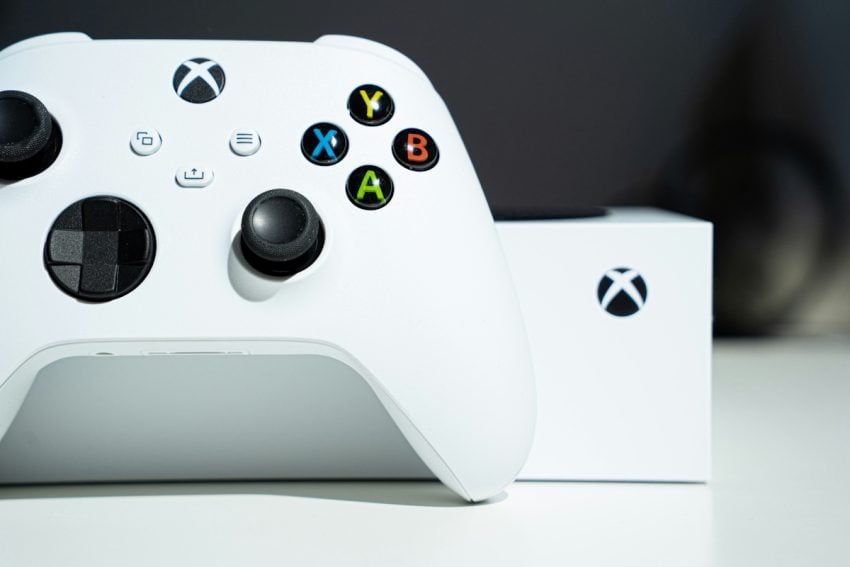
Microsoft makes Game Pass so expensive, that buying games suddenly becomes the cheaper option for some

Posted on October 2, 2025October 2, 2025 by Martin Brinkmann

While companies love subscription-based services, more and more users realize that they are more often than not that beneficial.

Microsoft just announced another price increase for Game Pass, the last dating back just a year. Game Pass Ultimate jumps from $20 to $30 per month once the changes go life. Considering that Game Pass Ultimate cost just $17 in early 2024, it is a massive increase of the most expensive plan.

Furthermore, Microsoft is changing the other Game Pass plans. Game Pass Core subscribers are moved to Game Pass Essential, the lowest tier and Game Pass Standard subscribers are moved to Game Pass Essential. The price of the two plans remains at $10 and $15 per month, for now at last.

Microsoft justifies the price increase by pushing “more day one games than ever before” to Game Pass Ultimate. There is also Fortnite Crew & Ubisoft+ Classics that Ultimate subscribers get access to for the very first time.

Additionally, they get “enhanced Xbox cloud gaming streaming quality up to 1440p, rewards with Xbox, and more” according to the announcement.

It appears that the announcement has pushed subscribers into cancelling their subscriptions. The servers are not responsive at the time and while Microsoft has yet to announce anything regarding the servers, it is clear that some subscribers are not happy about the price increase.

It is quite possible that the inclusion of Ubisoft+ Classics, which Microsoft values at $8 per month, is a reason for the major price increase.

However, at $360 per year, Game Pass Ultimate is not the bargain subscription service that it started out as. With an average price of $60 per game, ex-Ultimate subscribers could purchase six major games per year and own them.

That means the option to resell them or play them whenever they feel like it on as many systems as they like.

Granted, the price may still be worth it for die-hard Xbox and Microsoft fans who want access to games that Microsoft’s gaming division releases throughout the year. For many subscribers, however, it seems that Game Pass has lost its appeal thanks to the recent price hike, and the one that is likely coming next year.

Captain Commando

Play classic Capcom games like Street Fighter II, Magic Sword, or Ghosts’n Goblins for free

Posted on May 31, 2025May 31, 2025 by Martin Brinkmann

Even if you did not grow up during the Nintendo SNES and Sega Genesis / Mega Drive era, you have likely heard about classic games like Street Fighter that revolutionized video games at the time.

Some game series get new releases regularly still, others have remained classics. Many of them are playable as virtual games on consoles and even on Steam, or, if you prefer to sail the seven seas, via emulation.

Capcom, one of the great game developers of the time, created a new arcade website to celebrate its 40th birthday. There you can play a few classic Capcom games for free, directly in the browser.

Games are available in Japanese or English, and some even support multiplayer. Here is an overview of the games that you can play there currently:

  • Street Fighter II The world Warrior (Japanese and English)
  • Street Fighter 2010 (Japanese and English)
  • Magic Sword (Japanese and English)
  • Rockman 2 (Japanese and English,)
  • Captain Commando (Japanese and English)
  • Ghosts’n Goblins (Japanese and English)

Each game comes with a short description, its manual, and even a photo of the original module for the game console it was released on. The games support joypads that you connect to your PC or device, which is useful, as keyboard controls are rather fiddly.

More games, but only with a trick

The selection of games includes a few classics, but it is rather weak, considering that Capcom has created many more games.

If you open a snapshot of the Capcom Town website on the Internet Archive, you are greeted with more games. Highlights include Final Fight 1 and 2, Breath of Fire I and II, Super Ghouls’N Ghosts, or Mega Man X.

Many of the games are all-time classics, some of them hard to find, if you want to buy them for the original consoles or virtual systems.

Now you: what is your take on this? Do you play classic or modern games from time to time? Feel free to leave a comment down below.

How to enable Flash support in Firefox

Posted on March 5, 2024March 5, 2024 by Martin Brinkmann

Flash? Is not that the technology that had so many security holes that it had to be put down? Yes and now. Flash was undoubtedly highly problematic from a security point of view. It was, however, also a technology that was widely used to create incredible applications and games.

Flash is dead and there is no option to install Flash anymore in modern web browsers. The technology lives on, however. Ruffle is an open source project that emulates Flash in modern browsers and on websites.

There are two main options here: websites may integrate Ruffle for Flash emulation so that games and apps may be played. The other option integrates Ruffle into browsers so that Flash content may be played even if the site has no Ruffle implementation.

Firefox is in an excellent position, as it supports desktop and mobile extensions. This means, that you may install Flash in Firefox for the desktop and for Android to regain Flash support. Ruffle is also available for Chromium-based browsers, but all major ones limit extensions to their desktop versions.

Microsoft is testing extensions support in Edge for Android, but it is not there yet.

Installing Ruffle in Firefox

Ruffle Play Flash Games

It is not difficult to install the extension in Firefox. Just visit the official Ruffle website in Firefox and activate the “add to Firefox” option on the page to install the extension. Ruffle displays the permissions that it requires — access your data for all websites — and an add button to commence the installation.

Once installed, Ruffle will load Flash content encountered in the browser. If the site uses a Ruffle implementation it will upgrade it to the latest version, if that is not already used. If the site does not emulate Flash at all, Ruffle will load the Flash content so that it can be accessed. In other words, the Ruffle extension may also prove useful if the site uses Ruffle to provide access to Flash content.

Note: Ruffle is still a work in progress. Some games or apps may not work properly or at all because of that.

Using Ruffle to play Flash games

Once Ruffle is installed, Flash games should load automatically. This is regardless of whether the website the game is hosted on supports Ruffle or not.

Apart from certain games or apps that won’t work properly, Ruffle’s extension is also not capable of loading local Flash games in the browser.

Other than that, it is smooth sailing from this moment on. Finding Flash games and apps on the Internet is probably the hardest part at this point. Most gaming sites that supported Flash games in the past have installed Ruffle by now. The extension may still be useful on some of these sites, as it may load a newer Ruffle version that promises better compatibility and other benefits.

Firefox for Android loads Flash games and apps just like the desktop version once Ruffle is installed. It may be difficult to play them in the browser, at least on smaller screens, as the resolution may be tiny because of missing optimizations.

Alternatives

A few projects offer access to thousands of Flash games and apps. Popular ones are the Flash Games preservation project, Flashpoint, which had a size of more than 30 gigabytes back in 2018 already. It has grown to a size of 1.4 terabytes since then.

The archive has preserved more than 170,000 games and animations according to information on its website. Good news is that you do not need to download the entire archive but a smaller distribution. Games and components are then loaded on demand.

Another project is the Flash Game Archive. It is still maintained up to this point and includes a searchable directory of games on its website.

Closing words

Ruffle is an interesting option if you want to play Flash games or apps in your browser. While it does not work for all games yet, it is a valid option. Many Flash game websites have withered away since the end of Flash, others have moved on to support JavaScript games only.

Now You: have you played games online recently?

Support This Site

If you like what I do please support me!

Any tip is appreciated. Thanks!
  • March 2, 2026 by Martin Brinkmann Don't Bother with Windows 11's new Speedtest feature
  • February 27, 2026 by Martin Brinkmann Warning! That laptop on Amazon? It comes with temporary storage
  • February 26, 2026 by Martin Brinkmann "If your printer works today, it will continue to work": Microsoft corrects previous announcement
  • February 25, 2026 by Martin Brinkmann YouTube Premium Lite subscribers get background playback and downloads with a big "but"
  • February 24, 2026 by Martin Brinkmann Firefox 148.0 is out with its AI kill switch and support for Windows 7 and 8.1 comes to an end

About

We talk, write and dream about Technology 24/7 here at Chipp.in. The site, created by Martin Brinkmann in 2023, focuses on well-researched tech news, reviews, guides, help and more.

Legal Notice

Our commitment

Many websites write about tech, but chipp.in is special in several ways. All of our guides are unique, and we will never just rehash news that you find elsewhere.

Read the About page for additional information on the site and its founder and author.

Support Us

We don't run advertisement on this site that tracks users. If you see ads, they are static links. Ads, including affiliate links, never affect our writing on this site.

Here is a link to our privacy policy

©2026 Chipp.in Tech News and Reviews