
Microsoft released the 2025 feature update for Windows 11 in late September 2025. It was a smaller update that installs like a regular update instead of a bigger feature update. That is probably the main reason why Microsoft enabled broad distribution of the update shortly after its release.
The update should install automatically on most Windows 11 devices, provided that version 24H2 — last year’s feature update — is installed.
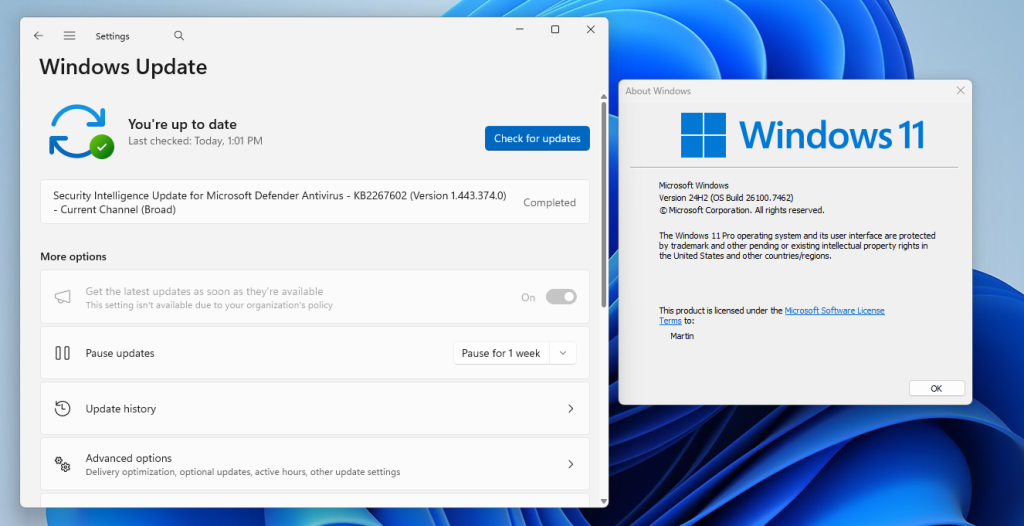
However, I noticed on one of my machines that Microsoft was not offering the new feature update via Windows Update.
First thing you may want to do in that case is to check if Microsoft has so-called Safeguard Holds in place.
Good to known: A Safeguard Hold blocks updates from machines, if certain issues are known that affect them. Microsoft uses the system to prevent larger issues on PCs that may be caused by updates.
Windows 11, version 25H2 has just three known issues listed on the official Windows 11 health dashboard. Two of these are listed as resolved, one as mitigated.
You may notice that your system is not affected by any of them. This was the case for the machine in question that I tried to upgrade.
Here are a few extra verification steps:
- Make sure you have all updates installed that are offered via Windows Update. Go to Settings > Windows Update and activate the “check for updates” button.
- Check the “get the latest updates as soon as they’re available” box.
- Make sure the main drive has enough free storage space for the update. If it is low, say less than 20 gigabytes, you may want to consider freeing up space.
How to upgrade to Windows 11, version 25H2
Windows administrators who are in the same position have a few options. The easiest is to install a small enablement package, which upgrades the system to the latest feature update release.
There is a problem: Microsoft is not hosting the update file on its Microsoft Update Catalog website. This means that the download has to come from a third-party website, which needs to be trusted.
My recommendation is to download the package from Deskmodder, a German website with an impeccable record.
- Download Windows11.0-KB5054156-x64.msu from the website (or another, if you prefer that).
- Double-click on the update file to run the upgrade.
If things go well, Windows 11 should be upgraded to version 25H2.
I do just the opposite, staying on my current version until only a few days before the EOL date.
If I’m really lucky, M.$ might have all the fuckups fixed in the next “feature” update by then.
But “Thank you!” to all those beta testers out there, unwitting and otherwise.
A 25H2 update that allows you to switch back to 24H2??
Sounds like rearranging chairs on a sinking ship.I have to ask myself WHY? Is MS hedging its bets against another OS trainwreck?
IMHO, MS has lost my faith in its values and direction. Windows is broken. I doubt if even MS has a clue how to fix it at this point. And the saddest part is being the biggest gorilla in the room, it seems to have the power to keep the media singing the praises of the latest “features.”
Personally, I am seriously considering the options of reinstalling 10 or Linux Mint. Probably Mint because MS has no connection with it.
I’m 71, and have no great technical prowess. I’ve been using LM since-2015 or ’16. The only thing I’ve found lacking is the ability to create or edit pdf’s. This seems to be a problem with Linux generally. For everything else there’s Libre Office, part of the default install.
I have a desktop, so I’ve kept a copy of Win10 on a separate drive for the ability to use 4 windows only programs. I’ve found that I can access files, and transfer files to Windows, when logged into Mint. Windows sees the drive Mint is on, but can’t read it. Go figure. Since I don’t go online with Windows i honestly don’t care about upgrad–er- downgrading to 11.
I have found that even upgrading Mint to newer versions is a pain free process.
I’m with Tachy here; my goal is to *stop* forced Win10/11 upgrades for at least long enough for the major bugs to be found and rectified. I use and recommend grc.com ‘s tiny, well-proven and free “InControl” tool for the job.