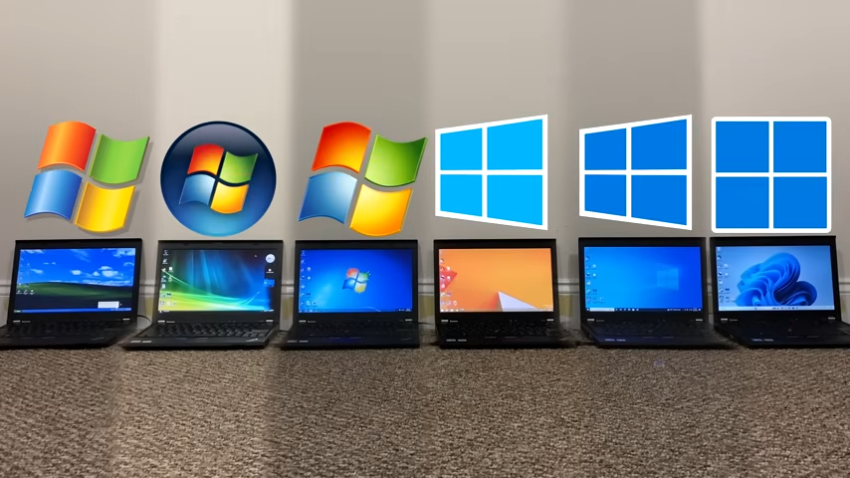
If you have used different versions of Windows, you may have discovered that some versions feel faster than others. Maybe you are still sad that Microsoft dropped support for Windows XP or Windows 7 several years ago, because you found them to be much faster than the latest and greatest versions of Windows.
A direct comparison is difficult, especially for home users, as it is necessary to run all tests on the same hardware and under the same conditions.
Tech-YouTuber TrigrZolt tested the performance of the six most recent Windows versions, from Windows XP all the way up to Windows 11, and publish the results on YouTube.
Key findings:
- Windows 11 uses significantly more RAM than any other of the tested Windows versions.
- Windows 11 does not feel as responsive as the other operating systems.
The testing platform is a Lenovo ThinkPad X220 device from 2011. It is powered by an Intel Core i5-2520M processor, 8 gigabytes of RAM and a platter-based hard drive.
What he discovered is remarkable, but the choice of hardware needs to be taken into consideration. Modern operating systems are optimized for Solid State Drives. Additionally, the processor is not supported officially by Windows 11.
How much storage space do the Windows versions occupy on disk?
- Windows XP (18,9 GB)
- Windows Vista (37,8 GB)
- Windows 7 (44,6 GB)
- Windows 8.1 (27,9 GB)
- Windows 10 (36,7 GB)
- Windows 11 (37,3 GB)
Microsoft’s Windows 8.1 operating system comes out first in a comparison of the boot process. It boots faster than any other candidate to boot into the desktop. Windows 11 comes last in the test.
RAM use is not as surprising, as the oldest operating system, Windows XP, requires less than a gigabyte of RAM. Windows Vista, Windows 7 and 8.1 come in second as a group, even though RAM use almost doubled here. It tripled under Windows 10 and more than quadrupled under Windows 11.
Browsing was tested as well. There, the YouTuber tried to open as many browser tabs in the browser Supermium, a Chromium-based browser, until 5 gigabytes of RAM were reached.
The clear winner of the test is Windows 8.1 with 252 open browser tabs. It is followed by Windows 7 with 235 tabs and Windows Vista with 184 tabs. Windows 10 reached 150 tabs while Windows 11 only 49 tabs. Windows XP crashed after 50 tabs were opened, which is still more than Windows 11 managed.
You can check out the full video here:
The YouTube user sums up the test in the following way: “Windows 11 is one of the slowest operating systems out of every version of Windows”.
It seems likely that Windows 10 and 11 would perform better with newer hardware and it would be interesting to see a second test that follows the same modules to find out how all operating systems would perform on a machine that is modern.
However, while hardware gets faster with every passing year, software seems to get slower and heavier as well, eating up much of the performance gains.
It’s great to have all the figures and the testing; I noticed LTSC is extremely fast compared to Windows 10 or Windows 11–either version of LTSC. Maybe it’s all the bloat.
De-cluttering a laptop over the last week significantly increased responsiveness and speed–an unremarkable discovery. Removed about 20 large hardly-to-never used apps and deleted hoards of installation files that I keep for some odd reason. And I used a few cleaners such as Glary to eliminate garbage.
A desktop was doing quite well, but there were a few things that weren’t working, so I copied files to an external, used Rufus, and completely reinstalled. Yes, much better.
Is Windows 11 slower? I don’t think so. I remember using XP and always having to find a way to help it boot faster; it was pathetically slow. Windows 11 is, on my machines, nearly instant.
Need to think about the time it takes to set up a computer–XP vs. Windows 11. It’s so much easier and faster now with all the tools available to set up a Windows 11 machine.
The tabs information–when I copied FF bookmarks over and wanted to have icons in the bookmarks’ toolbar, I had to open all the tabs at once–about 100. No issues–and all the icons restored. So . . .
Well, since Windows 10 was and 11 is officially WIP and are highly modular with things like WSL and always newer libraries such as .NET Framework, VC Redist, etc., the comparison isn’t really fair.
A Windows 11 22000.10 ISO image is 4 GB in size, while Windows 11 25H2 is 7 GB. As a result, data collection has also increased, but this can be completely disabled. I know there is a lot of hate for Windows 11, but considering all the new features that are integrated, such as individual tasks with energy-saving modes, speed improvement using NVME, accelerated bitlocker encryption, etc., and how stable it is at the end of the day despite running on millions of different hardware configurations, then this hate is unjustified.
Damn. Windows 8.1 looks great by comparison. I hated its interface, but it looks to perform well above expected.